What Is ITAD? The IT Asset Disposition Process, Step by Step
ITAD means IT asset disposition: what happens to old laptops and servers after use. The seven steps a device goes through, from pickup to paperwork.
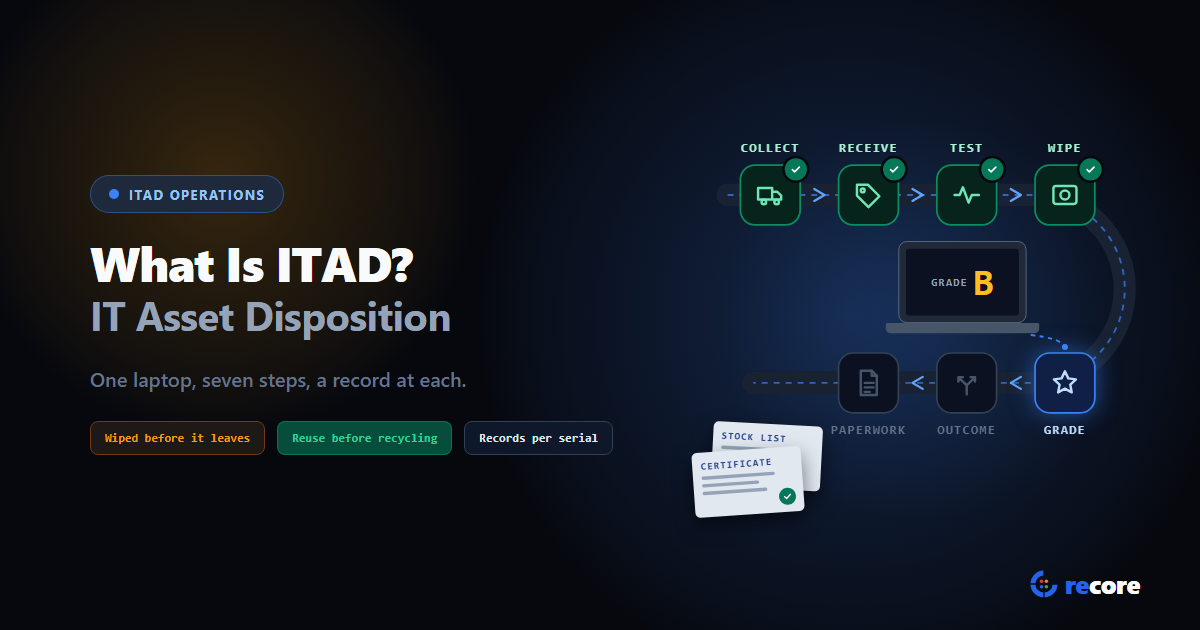
ITAD stands for IT asset disposition. It is the work of taking computers, servers, phones and other IT equipment an organization no longer needs, removing the data on them for good, and sending each one to its next use: resale, reuse inside the company, parts or recycling. Every step leaves a record, so at the end you can show what happened to each serial number.
ITAD is the last stage of IT asset management (ITAM), the work of tracking equipment from purchase to retirement. This guide follows one laptop through the ITAD process, from the day it leaves a desk to the day its paperwork is filed.
- ITAD (IT asset disposition) is how an organization retires IT equipment: data removed, each unit sent to its next use, every step recorded.
- A device goes through seven steps: collection, receiving, testing, data sanitization, grading, an outcome, and paperwork.
- No device leaves before its data is gone. Drives are wiped or destroyed, and each one gets a certificate.
- Reuse comes before recycling. A working laptop is tested, graded and resold or redeployed; only what can't be reused is recycled.
- Certifications such as R2v3, e-Stewards, NAID AAA and ADISA check the company doing the work, not its tools.
Why ITAD exists
Two things can go wrong with an old laptop. The first is the data. A drive sold with a company's files on it can count as a data breach. The second is the hardware. A working machine thrown away is value lost, and one that can't be reused still has to be recycled properly.
For the data, NIST's guide on media sanitization, SP 800-88, is the usual reference. The R2 standard lists it among its referenced standards and uses it for its destruction methods. (R2v3.1 names Rev. 1; Rev. 2 replaced it in September 2025.) It is written for media "before disposal, reuse, or leaving the effective control of an organization."
The ITAD process at a glance
Here are the seven steps in a typical order, and the record each step leaves behind.
| Step | What happens to the device | What it leaves on record |
|---|---|---|
| 1. Collection and chain of custody | Picked up from the client, or handed over, and moved to the processing site | Who handed it over, who took it, when, and why |
| 2. Receiving and asset tags | Counted against the client's list, its serial noted, a tag put on it | A received list, and one tag per device |
| 3. Testing | Hardware checked: battery, screen, keyboard, ports, memory, drive health, a stress test | Test results per device |
| 4. Data sanitization | Each drive wiped (or destroyed if it can't be reused) | A certificate of sanitization for each drive |
| 5. Grading | Cosmetic and working condition turned into a grade | A grade, with the defects that set it |
| 6. Outcome | Resold, redeployed, stripped for parts or recycled | Where each unit went |
| 7. Paperwork | Records gathered for the client, the buyer and the auditor | Certificates, a stock list, a client report |
Not every device goes through all seven. A device whose drives the client wants shredded skips testing and grading. A broken monitor with no storage goes straight from receiving to recycling. Testing and wiping often happen in the same session, in either order. Two rules don't change: no device leaves until every drive is sanitized, and reuse comes before recycling.
1. Collection and chain of custody
The process starts when the device leaves the client. Either the ITAD company collects it, or the client ships or drops it off.
From that moment, someone has to be able to say where the device was at every point. That record is called the chain of custody. The term comes from handling evidence. NIST's glossary defines it as a process that tracks movement "by documenting each person who handled the evidence, the date/time it was collected or transferred, and the purpose for the transfer." In ITAD, the "evidence" is the laptop and the data on it.
In practice that means a list of what was collected, signed when it changes hands, and transport the client trusts. The R2 standard asks certified facilities to "Maintain bills of lading or other commercially-accepted records" for everything coming in, with "accurate dates, detailed descriptions including types and quantities, and supplier names."
Some organizations wipe laptops before they ever leave the building, for example a remote wipe on staff laptops that never come back to the office. That lowers the risk in transit but doesn't replace the chain of custody. We cover that case in remote data wipe.
2. Receiving and asset tags
At the processing site, the shipment is opened and checked against the list. How many units arrived, and which serials? Anything missing or extra is flagged to the client before work starts.
Each device then gets an asset tag: a short ID on a label, often with a barcode. The tag is how people on the floor find the device, and how every later record (the tests, the wipe, the grade) gets tied back to the same machine. The serial number does the same job in the database, but it's often long, printed small, or hidden under the battery.
Receiving is also where the facility notes which devices hold data. R2 asks for a process that will "Identify all data storage devices". A laptop obviously holds data. A printer, a phone or a network switch may too, and they're easy to miss.
3. Testing
A laptop that will be sold or redeployed has to work, and the buyer needs to know how well. Testing checks each part: battery health, screen, keyboard, touchpad, ports, camera, speakers, memory, the drive's own health. A stress test (often called a burn-in) runs the machine under load to catch faults that only show when it gets hot.
Many floors test before they wipe. A drive that fails its health check may be shredded rather than wiped, and a laptop that fails badly may go to parts.
R2's test and repair appendix asks for test plans that define, among other things, "Pass and fail criteria for each function" and "Methods of documenting and storing test results". Results that aren't recorded can't be shown to a buyer or an auditor.
Our burn-in test guide covers the stress test in detail.
4. Data sanitization
Every drive that held data is sanitized. This can happen before or after testing; what matters is that it happens before the device leaves.
NIST SP 800-88 Rev. 2 names three methods:
- Clear works "using the same interface that is available to the user". In plain words, software overwrites or resets the drive through its normal connection, and the drive still works afterwards.
- Purge makes recovery "infeasible using state-of-the-art laboratory techniques". It is stronger than Clear. Done with software, it can leave the drive usable: "The intent of logical sanitization is to leave the ISM in a usable state."
- Destroy also makes recovery infeasible, and "results in the subsequent inability to use the media to store data". Shredding is the familiar example.
Which one to use depends on the data, the drive and whether it will be reused. NIST notes that if media "is not intended for reuse ... the simplest and most cost-effective sanitization method can be to destroy the media." For a working laptop headed for resale, a verified wipe keeps the drive, and so the laptop, worth something.
Then comes the record. NIST says: "Following sanitization, a certificate of sanitization (see Appendix C) should be completed for each ISM that has been sanitized". ISM means information storage media, so in practice one certificate per drive. Our certificate of sanitization template goes through the fields, and our NIST SP 800-88 page explains the standard in more depth.
5. Grading
Grading turns condition into a label a buyer understands. Graders look at two things: how the device looks (scratches, dents, worn keys, screen marks) and whether it works (from the test results). The answer is a grade, such as A, B or C, with the defects that set it.
Two graders looking at the same scratch should give the same grade. That only happens when the criteria are written down and specific: how long a scratch, where, visible from what distance. R2 sets the goal in its test and repair appendix: to "accurately communicate the level of functionality, cosmetic condition, and data sanitization status." Our free laptop grading criteria template is a starting point you can copy.
6. The outcome: resale, redeploy, parts or recycle
Every device ends up in one of four places. It is resold to a buyer, a reseller or straight to consumers. It is redeployed, sent back to the client wiped and checked, for a new employee or another site. It is taken apart so its working parts (screens, memory, batteries, keyboards) can repair other machines. Or it goes to a recycler that recovers the materials.
R2 asks certified facilities to follow "a hierarchy of responsible management strategies prioritizing reuse first, followed by materials recovery for recycling into new products." There's one firm exception: R2 says equipment "not legal to sell such as lost/stolen, counterfeit, or recalled equipment shall not be reused".
7. The paperwork
When the work is done, three groups need records.
The client wants to know that every device it handed over is accounted for, that every drive was sanitized, and what came of each unit. That's usually a report by serial number, plus the certificates.
The buyer of resold devices wants a stock list: what's for sale, with specs, grade and condition per unit or per lot.
The auditor, if the facility is certified, wants to see that the records match the work: what came in, what went out and where. R2 asks for the same detail on outbound shipments as on inbound ones, including "customer or downstream vendor names".
Who does ITAD
Several kinds of business do ITAD:
- ITAD companies run the whole process for organizations, from pickup to report.
- Recyclers focus on the end of the line, recovering materials. Many also wipe and resell.
- Refurbishers buy used equipment, then test, repair, grade and resell it.
- In-house IT teams do the first steps themselves, such as wiping and redeploying, and pass the rest on.
How certifications fit
Certifications check the company doing the work and its sites, not its software. In the US, the EPA names R2 and e-Stewards; NAID AAA covers information destruction; in the UK, ADISA runs an ICO-approved UK GDPR scheme. We compare all four in ITAD certifications compared, and the glossary defines the terms used here.
Where reCore fits
reCore is ITAD software for the processing floor. It covers the asset tag in step 2, testing, sanitization and grading in steps 3 to 5, and much of the paperwork in step 7. Collection, transport, and checking a shipment against the client's list stay with you.
A device boots the reCore OS from a USB stick, or PXE network boot set up on request. The first time it checks in, it gets an asset tag in your format, or reCore's if you haven't set one, and its serial and specs are read from the machine. The station runs 17 automated tests, a stress test and 6 guided manual checks, and wipes each drive following NIST SP 800-88 Rev. 2. Grading follows a profile you set up in the dashboard.
Every drive gets its own signed certificate, which anyone can check at recore.replugit.com/verify without an account. The stock list and the shipping list are built from the device records the floor already created, so no unit is typed in again. The device's page in the dashboard shows its history: tests, wipes, grade and changes such as a new tag or batch.
If you'd like to see how it would fit your floor, email [email protected].
Sources
- NIST, SP 800-88 Rev. 2, Guidelines for Media Sanitization, September 2025 (PDF). Introduction, sections 3.1, 4.3.3 and 4.6, and Appendix A (clear, purge, destroy).
- NIST Computer Security Resource Center, Glossary: chain of custody, from SP 800-72.
- SERI, The Sustainable Electronics Reuse & Recycling (R2) Standard, Version 3.1, effective January 31, 2024. Core Requirements 2, 5, 6 and 7, Appendix C, and its list of referenced standards (NIST SP 800-88).
- US EPA, Certified Electronics Recyclers.
- i-SIGMA, NAID AAA Certification.
- ADISA, ICT Asset Recovery Standard 8.0.
Frequently asked questions
What does ITAD stand for?
ITAD stands for IT asset disposition. It is how an organization retires computers, servers, phones and other IT equipment: the data on them is removed for good, each unit goes to its next use (resale, reuse inside the company, parts or recycling), and every step is recorded.
What are the steps in the ITAD process?
Seven, in a typical order: collection with a chain of custody, receiving and asset tags, testing, data sanitization, grading, the outcome (resale, redeploy, parts or recycling), and the paperwork, such as a certificate of sanitization for each drive and a report for the client. Testing and wiping often happen in the same session, in either order.
What is the difference between ITAD and e-waste recycling?
Recycling is one possible end of the ITAD process, not the whole of it. ITAD starts with the data and tries reuse first: a laptop that works is tested, wiped, graded and resold or redeployed. Only what can't be reused goes to recycling. The R2 standard puts it as a hierarchy that prioritizes reuse first, followed by materials recovery for recycling.
Does an ITAD company need to be certified?
No single law requires one everywhere, though some rules do: i-SIGMA notes that New Jersey requires NAID AAA certification for on-site destruction of hard drives. Many clients ask for one anyway. Certifications such as R2v3, e-Stewards, NAID AAA and ADISA check the company and its sites. Ask which site and which scope a certificate covers; our certifications comparison goes through each.
Can a company do ITAD in-house?
Partly, and many do. In-house IT often wipes laptops before they leave, and some redeploy machines to new staff themselves. Whatever leaves the organization still has to go somewhere, so the rest usually goes to an ITAD company, a refurbisher or a recycler, with records of what was handed over.
reCore Research Lab
OfficialCompliance & Security Group
Technical research group specializing in NIST SP 800-88, IEEE 2883, SERI R2v3 standards, and forensic data recovery testing.
Run your whole floor from a browser
Boot each machine from a USB stick, then test, wipe and grade it while you watch every station live. Nothing to install on site.
Related Guides & Research
Continue exploring compliance standards, firmware sanitization, and hardware diagnostics.
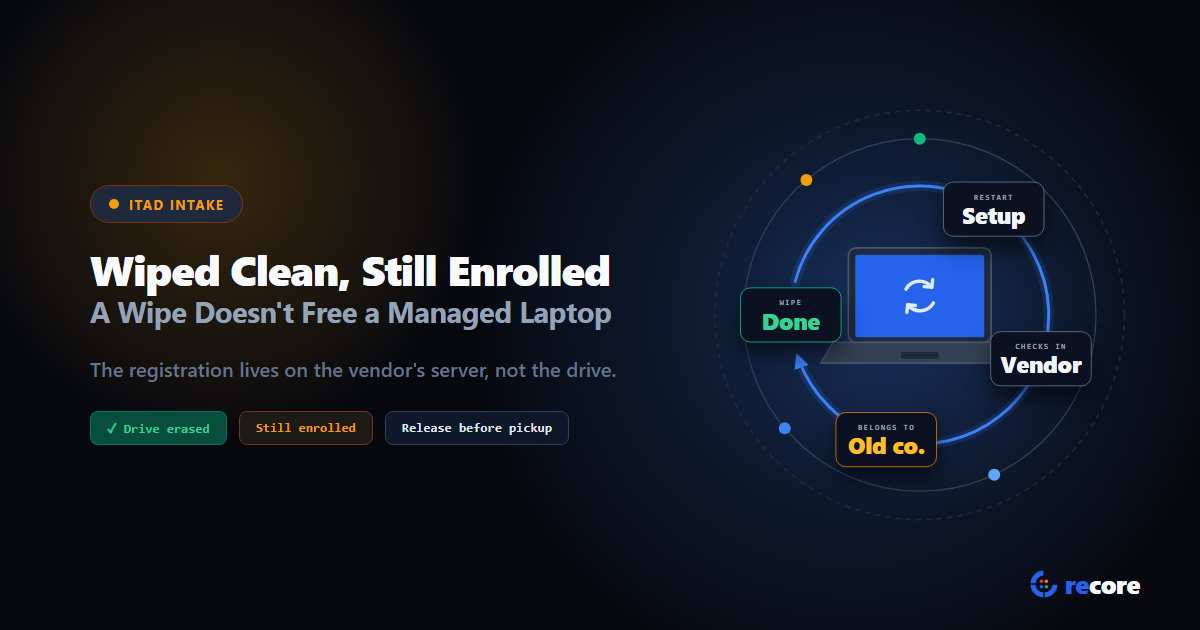
Wiped Clean, Still Enrolled: Why a Wipe Doesn't Free a Managed Laptop
A wipe erases the drive, not the device's registration with its old company. What Microsoft and Google say happens after a reset, who can release a device, and what to ask for before pickup.
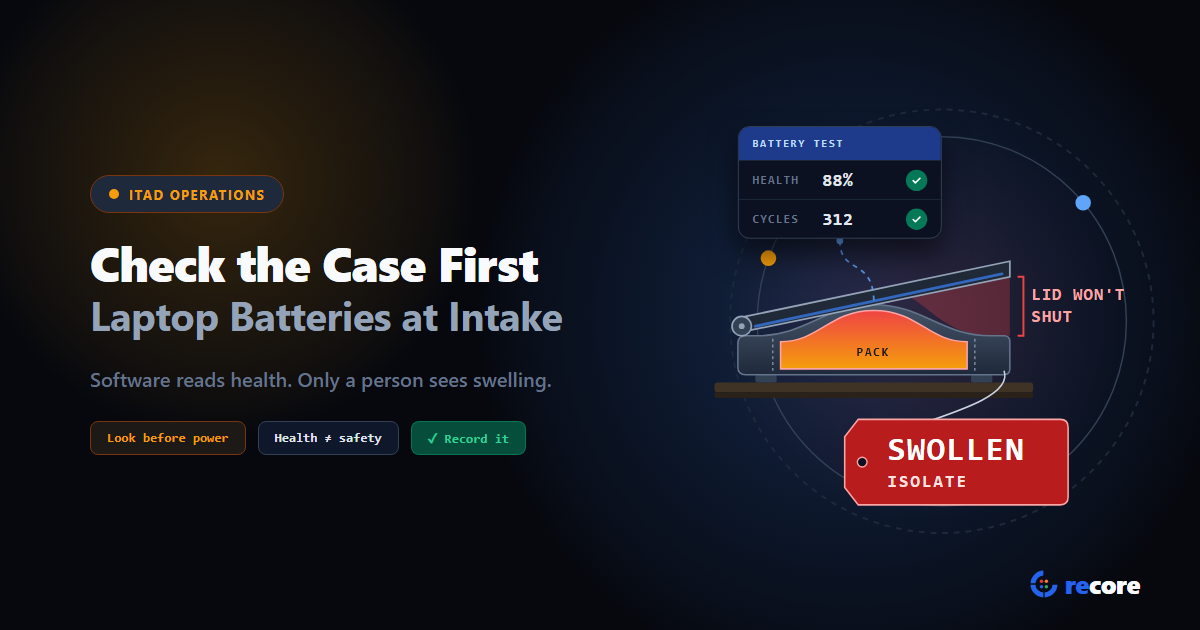
Laptop Battery Fires: A Simple Intake Check for Small ITAD Floors
Battery fires keep hitting recycling sites. A simple intake check for laptops: look for swelling, read battery health, set risky packs apart, record it.
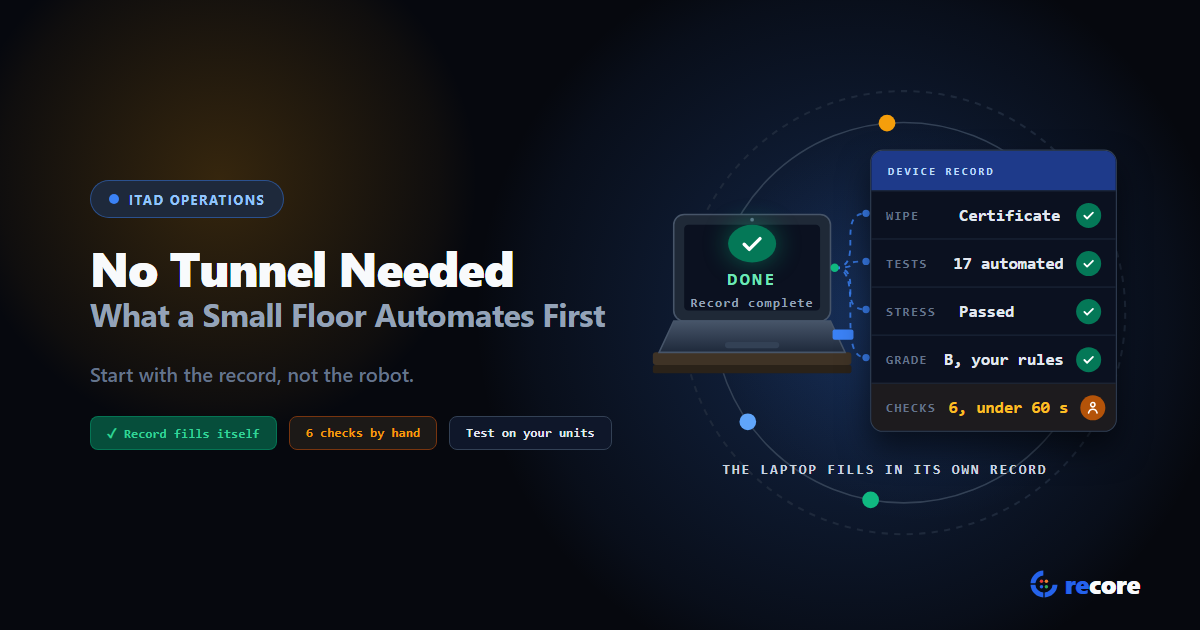
ITAD Automation for Smaller Floors: What to Automate First
Big ITADs buy scanning tunnels and 64-cell test rigs. What a small floor should automate first, what still needs a person, and how to test a tool.
Stay Ahead in Data Sanitization & ITAD Compliance
Join enterprise IT managers and electronics refurbishers receiving our monthly technical standards breakdowns, NIST/R2v3 audit tips, and benchmark releases.