Laptop Grading Criteria: Same Scratch, Same Grade (Free Template)
Free laptop grading criteria template: 45 defects across 7 parts, the rules that turn them into A, B, C, D or For parts, and an Excel sheet that works out the grade.
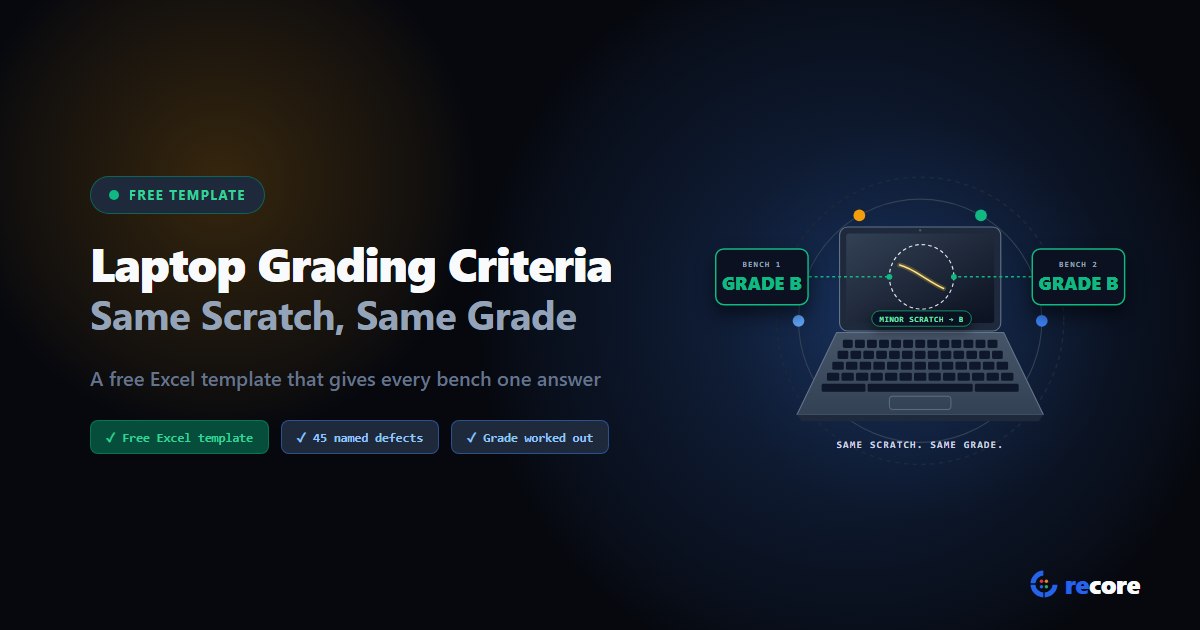
Ask five refurbishers what "Grade B" means and you'll get five paragraphs. "Light signs of use." "Minor cosmetic wear." Your technicians read those paragraphs too, and that's why the same laptop leaves one bench as an A and the next as a B.
This post gives you the fix in a form you can use today: a written set of laptop grading criteria, and a free Excel template that works out the grade for you.
- Don't grade the laptop. Grade each part: lid, screen, keyboard, trackpad, bottom, sides, hinges.
- Name the defects each part can have, and rate each one minor, major or critical.
- A part's grade comes from its worst finding. The laptop's grade is its worst part's grade.
- Failed tests cap the grade, whatever the cosmetics say.
- Download the free template (Excel). It has 45 defects across 7 parts, and it works out the grade for you.
1. Why "light wear" is not a rule
A grading standard written as one paragraph per grade asks each technician to form an overall impression. Impressions differ. One person sees a scratch on the lid and a perfect screen and thinks "B". Another weighs the scratch more and writes "C". Neither is wrong by the paragraph.
There's no shared scale to fall back on, either. Phones and tablets have published grading scales; Windows laptops and Macs don't. We covered the evidence in Your Grade A Could Be Someone Else's Grade B.
So the standard has to do the work. Done right, two people who see the same scratch can't arrive at different grades.
2. The structure that makes grades repeat
Four rules, in this order:
- Grade parts, not laptops. Look at each part on its own.
- Pick from a list. Each part has named defects. "Dent" and "deep scratch" are on the list; "looks a bit tired" is not.
- Each defect has a severity. Minor, major or critical. The severity, not the person, sets the part's grade.
- The worst part wins. The laptop takes the grade of its worst part. Nobody averages a dented lid against a perfect screen.
Two extras keep the grade honest:
- Ceilings. Some defects should cap the grade on their own. "A cracked lid is never better than D", whatever else passes.
- Test caps. A laptop that fails a test can't leave as an A, however clean it looks.
3. From findings to a grade
Here's the rule for each part:
| Worst finding on a part | That part's grade |
|---|---|
| No defects | A |
| Minor defects only | B |
| One major defect | C |
| Two or more major defects | D |
| Any critical defect | For parts |
And here's what each grade means. This wording goes to your buyers, so make it match what you sell:
| Grade | Meaning |
|---|---|
| A | Excellent: like new, minimal signs of use |
| B | Good: light cosmetic wear, fully functional |
| C | Fair: moderate wear visible, fully functional |
| D | Poor: heavy wear or cosmetic damage |
| For parts | Non-functional or missing critical parts |
A worked example. A laptop has light scratches on the lid (minor, so the lid is B), shiny keys (minor, keyboard B), a perfect screen (A), and a loose hinge (major, hinges C). The worst part is the hinges, so the laptop is a C.
4. The defect list
These are the 45 defects in reCore's default grading standard, across 7 parts. Minor makes the part a B, one major a C, two or more majors a D, and anything critical For parts. Copy them, add your own, and move a defect up or down a severity if your buyers see it differently.
| Part | Defects, by severity |
|---|---|
| Lid | Minor: Minor scratches, sticker residue, paint wear or fading, logo damage. Major: Deep scratches, dents. Critical: Cracks. |
| Screen | Minor: Minor scratches, backlight bleed, discoloration, bright spots, keyboard imprint. Major: Deep scratches, dead or stuck pixels, coating peeling. Critical: Cracked screen. |
| Keyboard | Minor: Worn or shiny keycaps, discoloration. Major: Loose keys, sticking keys. Critical: Missing keys, non-functional keys. |
| Trackpad and palmrest | Minor: Scratches, worn surface. Major: Sticky or rough feel, loose or wobbly. Critical: Click not working. |
| Bottom | Minor: Scratches, missing rubber feet, label damage. Major: Dents, missing screws. Critical: Cracks, battery bulge. |
| Sides and ports | Minor: Scratches, general wear. Major: Dents, broken port cover. Critical: Cracks, damaged ports. |
| Hinges | Minor: Squeaky or noisy. Major: Loose or wobbly, stiff or difficult. Critical: Cracked housing, broken or non-functional. |
Make each defect concrete. "Deep scratch" works best with a test: one you can feel with a fingernail, say. "Minor scratch" is one you can only see at an angle. Write the test next to the defect, in the template's Notes column.
5. Tests and battery
Cosmetics are half the grade. A laptop with a perfect lid and a dead keyboard is not an A.
Cap the grade on failed tests. In the template, a failed screen, keyboard, trackpad, sound or camera test caps the grade at For parts, and a failed port test caps it at D. Change these to match your buyers, but write them down.
State battery health, don't hide it. Battery health is the battery's full charge today as a share of what it held new. Measure it on every unit, put the percentage next to the grade, and pick a limit below which you call it out. Whatever limit you choose, print it on your stock list, so a buyer knows what "battery fault" means in your lots.
6. Calibrate before you trust it
A written standard is a hypothesis until two people agree on it.
- Pick 20 laptops with a spread of wear.
- Have two technicians grade all 20 on their own, with the template.
- Compare part by part, not just the final grade.
- Every disagreement is a defect with a vague name or the wrong severity. Fix the definition, not the person.
- Repeat with the next 20 until the disagreements stop.
Run it again when you hire someone, and when a buyer disputes a lot.
7. Download the template
Laptop grading criteria template (Excel), free, no sign-up.
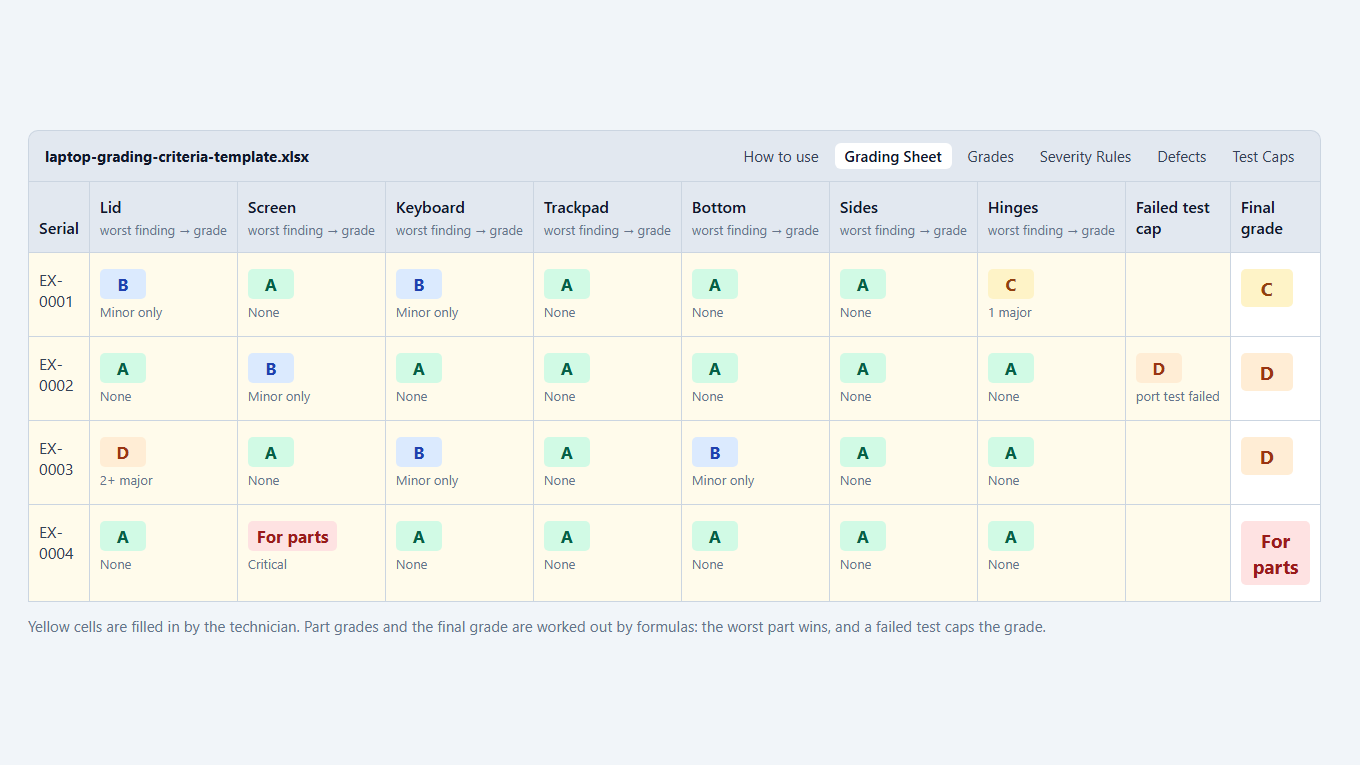
It has six sheets:
- How to use: the steps above, in short.
- Grading Sheet: one row per laptop. For each part, pick the worst finding from a dropdown. The part grades and the final grade work themselves out, with your defect ceiling and failed-test cap applied.
- Grades: the grade wording to send to buyers.
- Severity Rules: how a finding turns into a part grade.
- Defects: all 45 defects by part, with severity and an optional ceiling column.
- Test Caps: which failed test caps the grade where.
No macros, and nothing to install.
8. Where a spreadsheet stops
The template makes the rules consistent. It can't make the rest of the job consistent:
- Someone still types it. Test results, battery health and grades get copied in by hand, and copying is where mistakes come from.
- Anyone can change a cell. A grade changed on a spreadsheet leaves no trace of what it was, who changed it, or why.
- It doesn't know the tests. The cap only works if someone remembers to pick it.
- The stock list is a second job. Someone groups the units into lots and writes it up for buyers.
That's the part reCore does. The laptop boots into reCore and runs its tests. Missing or shiny keys from the keyboard test are filled in as defects, and a failed test caps the grade. The technician picks the defects part by part, mostly with the keyboard. reCore works out the grade from your standard, and every grade is saved with who set it, when, and which standard was used. Changing a grade adds a record; it never overwrites one. When the lot is ready, the stock list builds itself: identical units grouped into lots, battery ranges, defects, and a Grade Guide sheet that tells the buyer what your grades mean.
The rules in this template are reCore's default standard, so you can start where you left off. And grading costs nothing on top: one operation per device covers testing and grading, from $0.99 down to $0.05 a device at volume.
See laptop grading in reCore, or start a free trial: 14 days, 10 operations, no card.
Sources
- Defect list, severities and grade wording: reCore's default grading standard, as shipped on 2026-10-19.
- Grading rules (worst finding per part, worst part wins, test caps): reCore's grading engine and station, checked in code on 2026-10-19.
- Pricing: recore.replugit.com/pricing.
Frequently asked questions
What are the grading criteria for a refurbished laptop?
There is no shared industry scale for laptops, so each seller writes their own. A criteria set that grades consistently checks each part separately (lid, screen, keyboard, trackpad, bottom, sides and hinges), names the defects each part can have, rates each defect minor, major or critical, and gives the laptop the grade of its worst part. Failed tests cap the grade.
What is the difference between Grade A, B and C laptops?
In this template, an A has no defects on any part. A B has only minor defects, such as light scratches or shiny keys. A C has one major defect on at least one part, such as a dent, a deep scratch or a loose hinge. Two or more major defects on one part make it a D, and any critical defect, such as a cracked screen or missing keys, makes it For parts.
How do I stop two technicians grading the same laptop differently?
Stop asking for an overall grade. Ask what is wrong with each part, using a named list of defects, and let one set of rules turn the answers into a grade. Then calibrate: have two technicians grade the same 20 laptops on their own and fix every defect they disagree on.
Should battery health affect a laptop's grade?
Most sellers keep the cosmetic grade and the battery separate, and state battery health as a percentage of design capacity next to the grade. Whatever you choose, pick a limit, write it down, and print it on your stock list so buyers know what a low battery means in your lots.
Is the template free to use?
Yes. Download the Excel file, change the defects, severities and wording to suit your buyers, and use it on your own floor. No sign-up needed.
Can software do this grading for me?
Software can apply the rules for you, but a person still has to look at the laptop. In reCore, the technician picks the defects at the bench, the station's tests fill in what they found, and the grade is worked out and saved with who set it and when. There's no camera or AI inspection.
reCore Diagnostics Group
OfficialHardware Triage & Quality Assurance
Hardware engineers analyzing Apple Silicon, PC OEM firmware telemetry, battery degradation chemistry, and cosmetic defect standards.
Make your grade mean one thing
Write your grading standard once. Every station asks its questions and suggests the same grade for the same answers.
Related Guides & Research
Continue exploring compliance standards, firmware sanitization, and hardware diagnostics.
Windows 11 Ready? Check Every Refurbished Laptop Before You List It
How to tell which used laptops can run Windows 11, which need only a BIOS setting, and which can't, without installing Windows. Plus a free sample stock list.
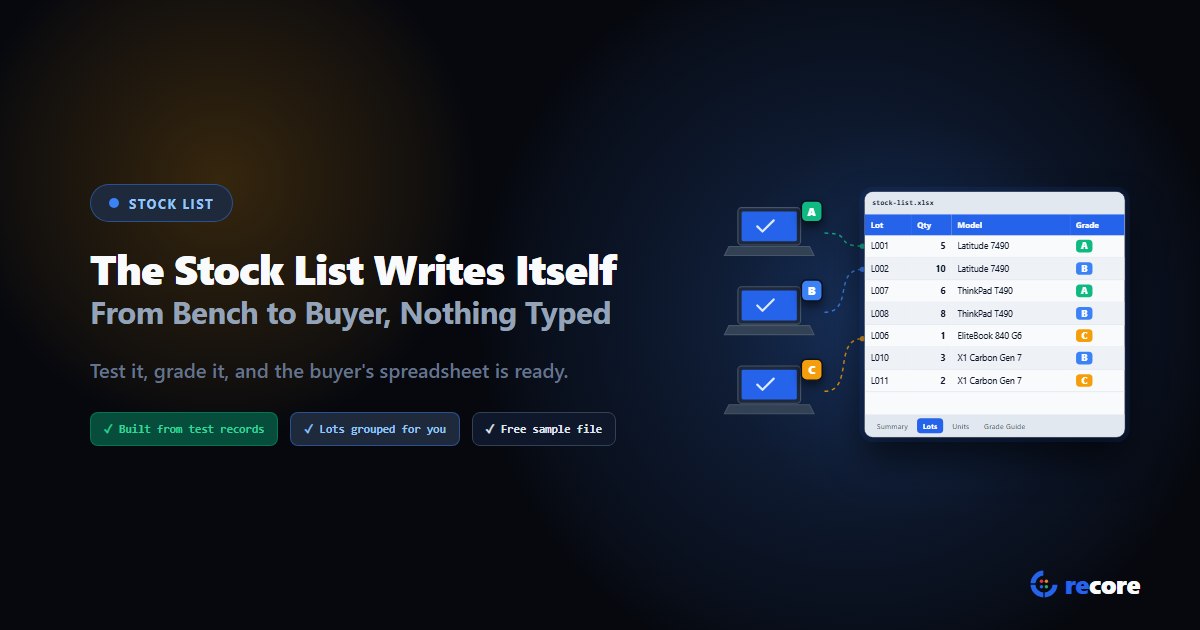
The Stock List Writes Itself: From Bench to Buyer Without a Spreadsheet
What a buyer needs on a refurbished laptop stock list, why hand-typed lists cost you credits, and how reCore builds one from test records. Free sample file.
Your Grade A Could Be Someone Else's Grade B
No common grading scale exists for used laptops, and one floor can grade the same scratch two ways. Why grades drift, and how to make one mean one thing.
Stay Ahead in Data Sanitization & ITAD Compliance
Join enterprise IT managers and electronics refurbishers receiving our monthly technical standards breakdowns, NIST/R2v3 audit tips, and benchmark releases.