Windows 11 Ready? Check Every Refurbished Laptop Before You List It
How to tell which used laptops can run Windows 11, which need only a BIOS setting, and which can't, without installing Windows. Plus a free sample stock list.
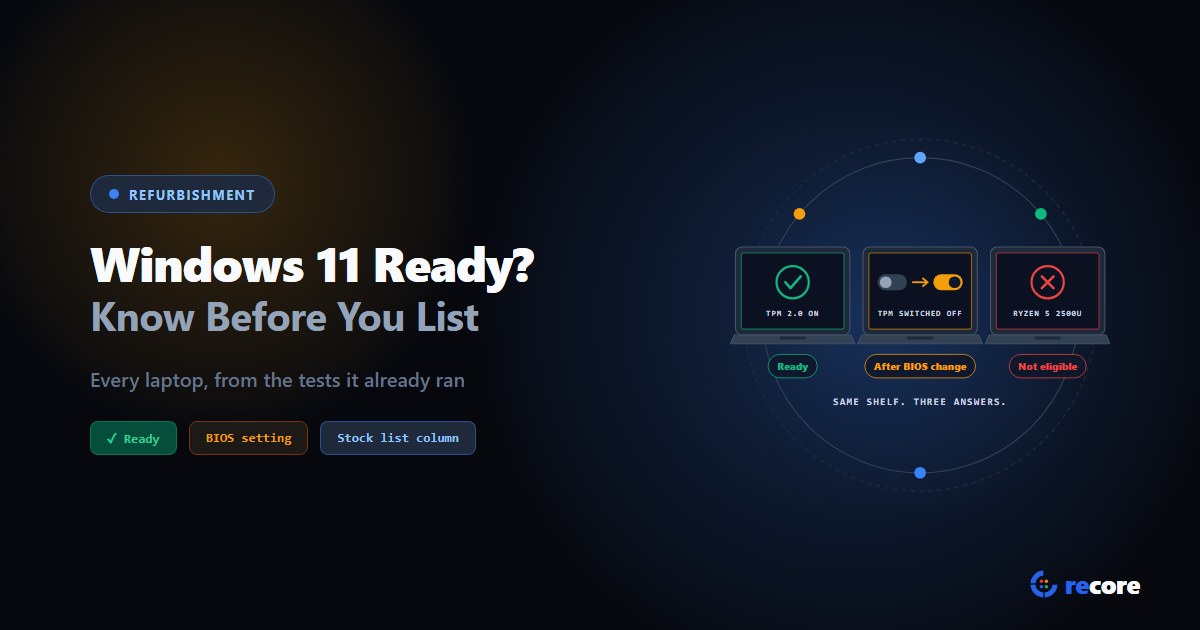
Sooner or later, every buyer of a used laptop asks the same question: will it run Windows 11?
Most floors answer it late. The laptop gets wiped, graded and listed, and the question comes back as an email from the buyer, or as a return. Sometimes the answer is "no, the processor is too old". But often it's "yes, if someone had switched one setting on".
That second group is the one worth finding. It's stock you're about to sell short.
- Windows 11 needs a supported processor, 4 GB of RAM, 64 GB of storage, UEFI with Secure Boot, and TPM 2.0. On used business laptops, the processor and the TPM decide most cases.
- Many laptops fail only because TPM or Secure Boot is switched off in the BIOS. That's a setting, not a defect.
- PC Health Check needs Windows. A wiped laptop doesn't have it.
- reCore sorts every laptop into Ready, Eligible after BIOS change or Not eligible from the tests the station already runs, and puts the answer on the buyer's stock list.
1. Why it matters now
Windows 10 support ended on October 14, 2025. Microsoft has since extended free security updates for enrolled home PCs to October 12, 2027, which keeps a Windows 10 laptop sellable to the right buyer. But that program "can't be used in commercial scenarios." A business buying your stock pays for commercial updates instead: $61 per device for the first year, doubling each year.
Meanwhile, about 28% of Windows desktops worldwide were still on Windows 10 in September 2026 (StatCounter). Many of them are shopping for a replacement, and they'll want one that runs Windows 11.
So the same laptop can go to three different buyers at three different prices, depending on one answer. You want that answer before you list, not after.
2. What Windows 11 actually needs
Here's Microsoft's minimum, and what it means for a pallet of used laptops:
| Requirement | Microsoft's minimum | On used business laptops |
|---|---|---|
| Processor | A compatible 64-bit processor, 2+ cores, 1 GHz+ | Decides most cases. See below. |
| RAM | 4 GB | Rarely the problem. |
| Storage | 64 GB | Rarely the problem. |
| Firmware | UEFI, Secure Boot capable | Often set to Legacy or with Secure Boot off. A setting. |
| TPM | TPM 2.0 | Often present but switched off. A setting. |
| Graphics | DirectX 12, WDDM 2.0 driver | Met by anything with a supported processor. |
| Display | 720p, larger than 9 inches | Met by any business laptop. |
The processor list. Microsoft publishes the supported processors. In short:
- Intel: Core i3, i5, i7 and i9 from the 8th generation on. A Latitude 7480 or ThinkPad T470 (7th generation) is out, however good its other specs.
- AMD: Ryzen from the desktop 2000 series and the mobile 3000 series on. Watch the trap here: laptop chips like the Ryzen 5 2500U and Ryzen 7 2700U are the first Zen generation despite the "2", and they're not on the list.
Both lists also say newer generations "which meet the same principles will be considered as supported, even if not explicitly listed."
3. The money is in the middle group
Sort a lot by Windows 11 and you get three groups, not two:
- Ready. Meets everything now. List it as Windows 11 ready.
- Eligible after BIOS change. The hardware is fine, but a setting is off:
- TPM is off. The TPM can be a separate chip or built into the processor (called Intel PTT or AMD fTPM in the BIOS), and either can be switched off. Microsoft's own help page says "your PC may have a TPM that is disabled."
- Secure Boot is off, or the machine boots in Legacy (CSM) mode. Microsoft's fix is to switch the boot mode to UEFI and turn Secure Boot on.
- Not eligible. The processor isn't supported, or memory, storage or TPM 2.0 falls short. No setting changes that. Sell it as Windows 10, with the updates program explained, or into a market that doesn't need Windows 11.
Group 2 is where money is lost. Untested, those laptops look exactly like group 3: "PC Health Check says no." Two minutes in the BIOS moves them to group 1.
One detail that helps refurbishers here: after a wipe there's no Windows install to convert. Microsoft's MBR2GPT tool exists to convert an installed system from Legacy to UEFI. On a wiped drive you just set the BIOS to UEFI with Secure Boot on, and install fresh.
Windows 11 can be forced onto unsupported hardware. Microsoft says such a PC is "no longer supported and won't be entitled to receive updates", and adds a watermark to the desktop. Listing it as a Windows 11 laptop hands that problem to your buyer. List it as Windows 10.
4. Why you can't check a whole lot with PC Health Check
Microsoft's tool for this is PC Health Check. It's a good tool for one PC. But it's a Windows app, so it needs Windows running. On a refurbishing floor that means:
- A wiped laptop has nothing to run it on. And you want the answer before you spend time installing Windows.
- It's one machine at a time, with a person reading the screen and typing the result somewhere.
- "No" doesn't say why. You still have to open the BIOS to learn whether it's a setting or the processor.
What a floor needs is the check done from the boot USB, on every unit, with the reason recorded.
5. How reCore does it
The reCore station boots each laptop from a USB stick and runs its tests without Windows. Those tests already read what Windows 11 cares about: the processor, memory, storage, the TPM's state and the Secure Boot setting. reCore turns them into one verdict per laptop. No extra step, and nothing typed.
| Verdict | What reCore found | What the device page tells your tech |
|---|---|---|
| Ready | Supported processor, 4 GB+, 64 GB+, TPM 2.0 on, Secure Boot on | Meets the requirements |
| Eligible after BIOS change | The hardware meets the bar, but TPM or Secure Boot is off, or the firmware is in Legacy mode | The exact fix: "Enable TPM/fTPM in BIOS" or "Switch firmware to UEFI + enable Secure Boot" |
| Not eligible | Something a setting can't fix | The reason, e.g. "CPU not on Microsoft's Windows 11 list" |
The TPM reading is the important part. reCore doesn't just ask "is a TPM there?". It tells apart a TPM that's ready, one the processor can provide but that's switched off, and none at all. That's what separates group 2 from group 3.
On the buyer's stock list. The verdict goes onto the stock list reCore builds for your buyer, in a Windows 11 column:
- On the Lots sheet, as a mix, so the buyer sees "Ready x6, Eligible after BIOS change x4" for a lot of ten.
- On the Units sheet, for every serial.
- On the Grade Guide sheet, in plain words, so the buyer reads "Eligible after BIOS change" the way you mean it: it meets the requirements once a setting is switched on, at no cost.
Here's the Lots sheet from our sample, built by reCore's own code from made-up laptops:
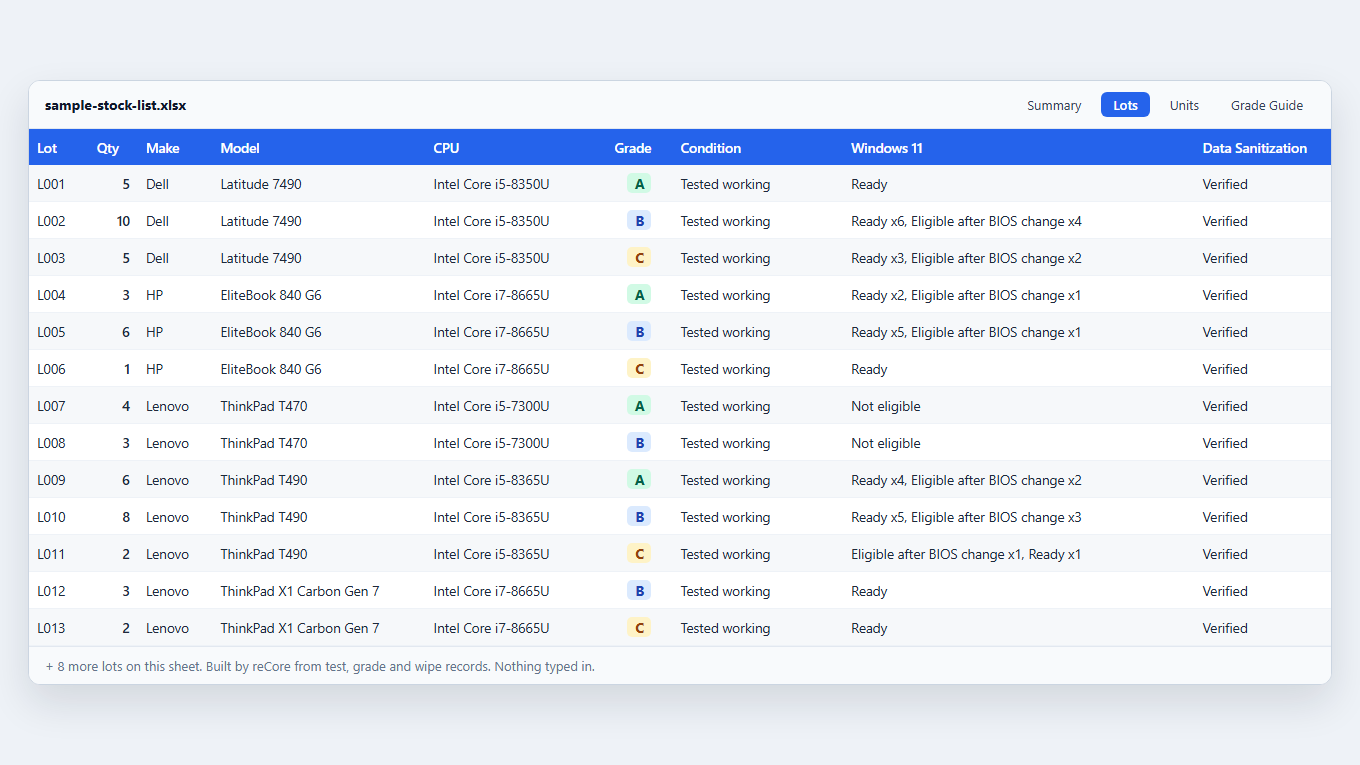
Look at lot L002: ten Latitude 7490s, four of them with a setting switched off. Flip those four before the lot ships and you sell ten Windows 11 ready laptops instead of six. The T470s in L007 and L008 are honest Windows 10 machines, and the list says so up front.
Download the sample stock list (Excel) and open the Windows 11 column the way a buyer would.
6. Where it stops
So you know before you rely on it:
- It reports, it doesn't fix. reCore tells you which laptops need a BIOS change and which setting. A person still makes the change; reCore doesn't write BIOS settings.
- Re-run the tests after the fix to move a laptop to Ready on the record. The verdict follows the latest result.
- Graphics and display aren't checked. Any laptop with a supported processor meets them anyway. Microsoft's own page notes PC Health Check doesn't check them either.
- Some processors can't be classified, like Xeon or Atom. reCore doesn't hold those against the machine; check them against Microsoft's list yourself.
- Blank means not enough data. If a laptop's tests don't include the TPM reading, the verdict is left blank rather than guessed.
Conclusion
"Will it run Windows 11?" is now one of the first questions on a used laptop sale. Answer it at the bench and you find the laptops one setting away from a better sale, before they go out at a Windows 10 price. Answer it on the stock list and your buyer doesn't have to ask.
The Windows 11 verdict and the stock list are in every plan, at no extra cost. See pricing, or start a free trial: 14 days, no card.
Sources
- Microsoft, Windows 11 specifications and system requirements.
- Microsoft Learn, Windows 11 supported Intel processors and Windows 11 supported AMD processors, read 2026-10-30.
- Microsoft Support, Enable TPM 2.0 on your PC and Windows 11 and Secure Boot.
- Microsoft Learn, MBR2GPT.
- Microsoft Support, Installing Windows 11 on devices that don't meet minimum system requirements.
- Microsoft Support, How to use the PC Health Check app.
- Microsoft, Windows 10 Extended Security Updates for consumers and Microsoft Learn, Extended Security Updates for Windows 10.
- StatCounter, Desktop Windows version market share worldwide, September 2026.
- reCore's Windows 11 verdict and stock list: checked in code on 2026-10-30. The sample file and the image above were built by that code from invented laptops (serials start SAMPLE-).
Frequently asked questions
What does a laptop need to run Windows 11?
Microsoft's minimum is a supported 64-bit processor with 2 or more cores at 1 GHz or faster, 4 GB of RAM, 64 GB of storage, UEFI firmware with Secure Boot capability, TPM 2.0, DirectX 12 graphics with a WDDM 2.0 driver, and a 720p display larger than 9 inches. For used business laptops, the processor and TPM are the two that usually decide it.
Which processors are supported for Windows 11?
Intel Core from 8th generation on, and AMD Ryzen from the desktop 2000 series and the mobile 3000 series on. Laptop Ryzen 2000 chips such as the 2500U and 2700U are not on Microsoft's list, because they are the first Zen generation despite the number.
Can a laptop that fails the check be fixed in the BIOS?
Often, if the processor is supported. A firmware TPM (Intel PTT or AMD fTPM) that is switched off, or a machine set to Legacy or CSM boot instead of UEFI with Secure Boot, are settings, not hardware. A 7th-generation Intel processor or too little memory can't be fixed in the BIOS.
Can I check Windows 11 compatibility on a wiped laptop?
Not with PC Health Check, which is a Windows app and needs Windows to run. reCore reads the processor, memory, storage, TPM state and Secure Boot state from its own boot USB, so a wiped laptop with no operating system can be checked.
Can I sell a laptop with Windows 11 installed on unsupported hardware?
Microsoft says such a PC is no longer supported, isn't entitled to receive updates, and shows a watermark on the desktop. Selling it as a Windows 11 laptop passes that problem to your buyer, so we'd list it as Windows 10 instead.
Is Windows 10 still getting security updates?
Support ended on October 14, 2025. Home users who enrol in the consumer Extended Security Updates program get security updates through October 12, 2027. Businesses use the commercial program instead: $61 per device for the first year, doubling each year for up to three years.
reCore Diagnostics Group
OfficialHardware Triage & Quality Assurance
Hardware engineers analyzing Apple Silicon, PC OEM firmware telemetry, battery degradation chemistry, and cosmetic defect standards.
Make your grade mean one thing
Write your grading standard once. Every station asks its questions and suggests the same grade for the same answers.
Related Guides & Research
Continue exploring compliance standards, firmware sanitization, and hardware diagnostics.
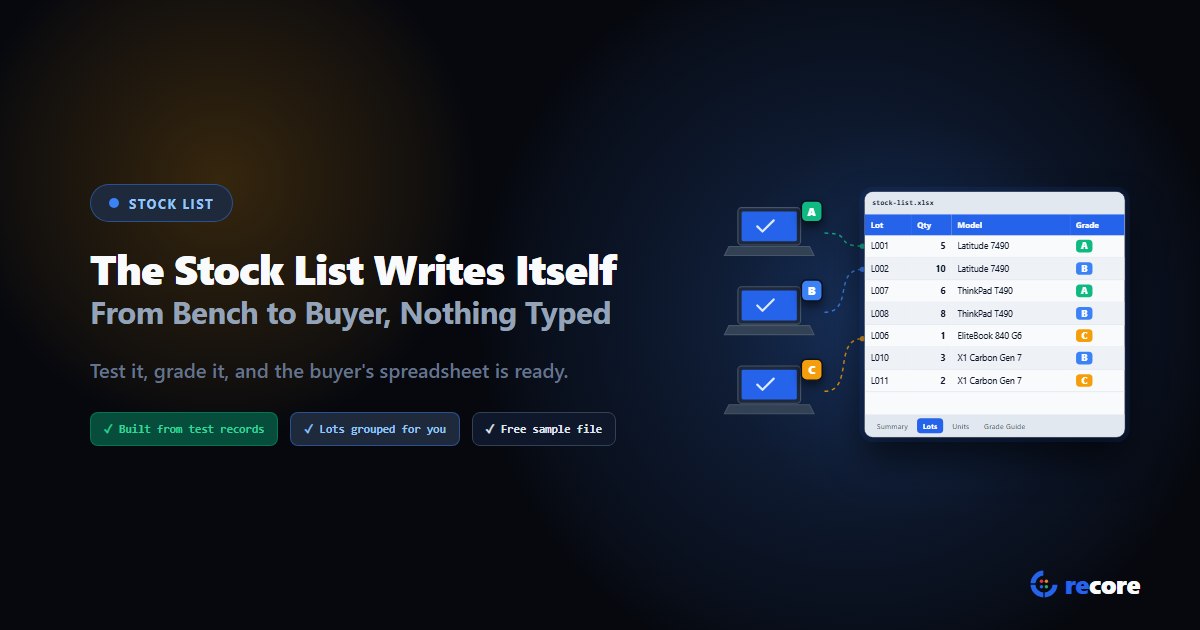
The Stock List Writes Itself: From Bench to Buyer Without a Spreadsheet
What a buyer needs on a refurbished laptop stock list, why hand-typed lists cost you credits, and how reCore builds one from test records. Free sample file.
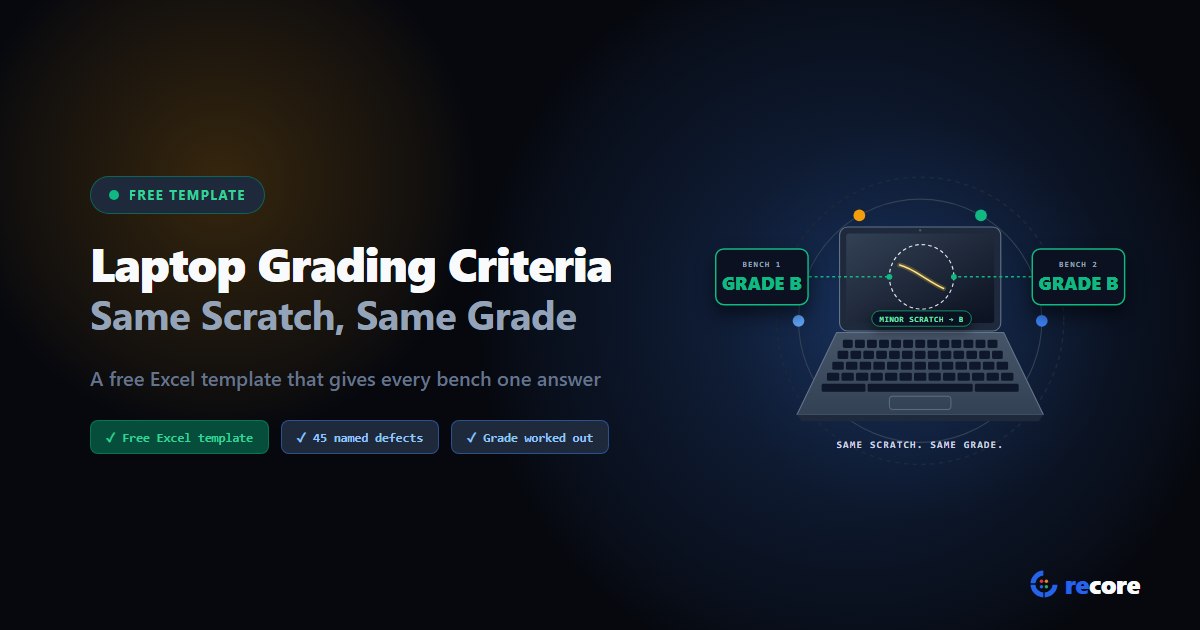
Laptop Grading Criteria: Same Scratch, Same Grade (Free Template)
Free laptop grading criteria template: 45 defects across 7 parts, the rules that turn them into A, B, C, D or For parts, and an Excel sheet that works out the grade.
Your Grade A Could Be Someone Else's Grade B
No common grading scale exists for used laptops, and one floor can grade the same scratch two ways. Why grades drift, and how to make one mean one thing.
Stay Ahead in Data Sanitization & ITAD Compliance
Join enterprise IT managers and electronics refurbishers receiving our monthly technical standards breakdowns, NIST/R2v3 audit tips, and benchmark releases.