Remote Wipe for ITAD: Erase Every Drive Without a Server, Appliance or Add-On
What remote wipe means, why an MDM remote wipe isn't data erasure, and how to erase laptops remotely with a certificate per drive. No server, no appliance.
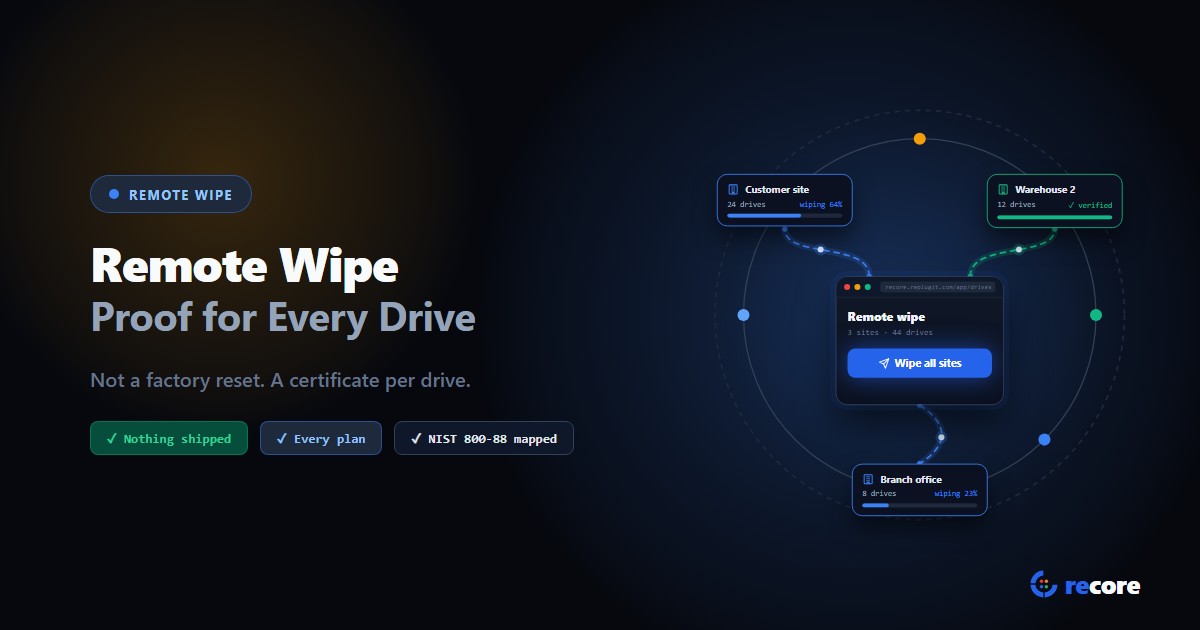
Remote wipe means erasing a device's data without being at the device. It covers two jobs. MDM remote wipe resets a lost or departing phone or laptop. Remote data erasure wipes each drive of retired devices from a dashboard and records every one. Only the second gives you proof an auditor will accept.
Search for "remote wipe" and nearly every result is about lost phones and laptops: an IT team pressing a button to reset a device somewhere in the world. For an ITAD or refurbisher, remote data wipe means something else. It means starting a verified wipe on every drive in a room, or in another building, without walking to a single machine, and getting a record you can hand to an auditor.
That second kind is where the money and the confusion are. In many erasure setups, wiping remotely is the expensive part. It doesn't have to be.
- An MDM "remote wipe" is a factory reset. Microsoft says the reset's erasure option "does not meet government and industry data erasure standards."
- Remote data erasure for ITAD often costs extra because it's bolted onto a tool built for local use: a console license, a network edition, a PXE server or an appliance.
- Wiping devices where they are cuts freight emissions, most of all where devices would fly or make round trips.
- reCore does remote data wipe with a download and a browser. No hardware ships, and it's in every plan at the same per-drive credit as any wipe.
1. Two things called "remote wipe"
The same two words cover two very different jobs, and it's worth being clear which one you're buying.
MDM remote wipe resets a managed device. It's built for a lost phone or a laptop that leaves with an employee. Here's what the platforms document:
- Microsoft Intune. The default Wipe "resets the device to factory settings." Under the hood it's "equivalent to running Reset this PC > Remove everything", with Clean Data set to No. Only the "continue to wipe even if device loses power" option "overwrites the free space," and Microsoft warns it can leave a device unable to start. Of the Windows reset itself, Microsoft says: "The data erasure functionality is targeted at consumers and does not meet government and industry data erasure standards."
- Apple. A remote wipe from a device management service discards the device's encryption keys, which "renders all files cryptographically inaccessible."
- Google. For a Chromebook, "this only resets the device"; for Android, the wipe "is not guaranteed to succeed if the device is offline for an extended period."
What none of them documents is a per-drive sanitization record: the method, the verification and who confirmed it. What you get is confirmation that the command was accepted. That's fine for a lost phone. It's not what you'd hand an auditor.
Remote data erasure wipes each storage drive with a method suited to it, checks the result, and records it, one drive at a time, started from a dashboard.
| MDM remote wipe | Remote data erasure (ITAD) | |
|---|---|---|
| Built for | Lost or departing devices | Retired devices being reused, resold or recycled |
| What it does | Factory reset or key discard | A wipe per drive, using the method that drive supports |
| Mapped to NIST SP 800-88 | Not by the platform vendors | Yes, Clear or Purge per drive |
| Checked afterwards | Not documented | Each drive, with a check that matches the method |
| Record | Command accepted | A certificate of sanitization per drive |
An MDM reset is useful protection while a device is out in the world. It isn't the record an ITAD needs when that device is retired.
2. "We already remote wiped them": what that covers
Sooner or later, a client hands over a pallet of laptops and says they've already been wiped remotely, through Intune or another device management tool. It's a fair thing to have done. It protected those laptops while they were out with people. But it's worth knowing what it did and didn't do before you sign anything.
Here's what Microsoft documents for a Windows laptop wiped from Intune with no options ticked:
- It's a reset, not an erase. It's "equivalent to running Reset this PC > Remove everything", with Clean Data set to No. Microsoft also says the Windows volume "is never formatted"; user files on it "are deleted individually."
- Even the erase option isn't a standard. Of the reset's data erasure, Microsoft says it "is targeted at consumers and does not meet government and industry data erasure standards."
- The record is an acknowledgement. For the underlying command, "the return status code shows whether the device accepted the Exec command." It doesn't say what happened to each drive, or how it was checked.
So the client's MDM wipe isn't the end of the chain of custody. Your certificate is.
| Your client's MDM wipe | What you add at intake |
|---|---|
| Reset the laptop while it was in the field | A wipe of each drive, with a method that drive supports |
| Recorded that the device accepted the command | A record per drive: method, verification, who confirmed it |
| Not mapped to a standard by the vendor | Mapped to NIST SP 800-88 Clear or Purge |
That's an easy line to give a client: "Your wipe protected the laptops on the way here. Ours proves what happened to every drive." And if the wipe at intake can be started remotely too, it doesn't add a walk to every bench.
3. Why remote erasure so often costs extra
Ask how an erasure tool wipes drives over the network and you'll often get a list of extras. Here's what vendors' own public documents describe:
- A separate management console. Remote control of the eraser runs through a console that is licensed on its own, or hosted privately "at an extra cost."
- A network edition priced on request. The edition that boots machines over the network is quote-only, next to a standalone eraser with a list price.
- A server you build and run. One vendor's network-boot guide lists "a minimum of 16 GB RAM", "Windows Server 2016 or 2019", a network switch, and Active Directory, DNS, DHCP, WDS and IIS configured, with the vendor's "PXE deployment team" helping you set it up.
- Dedicated hardware. Bulk erasure is widely sold as appliances; one vendor's published prices for pre-configured erasure hardware start at $2,900.
Device management has its own version. In Google Workspace, wiping a whole device needs advanced mobile management, which several editions don't include.
We don't think any of this is unreasonable on its own. It's what happens when remote is added to a product designed to run at the machine. Every layer that makes it remote, the console, the server, the network edition, becomes something you price, install and maintain.
So don't ask a vendor "do you do remote wipe?" Ask "what do I have to buy, host and look after to do it?" You'll learn more from the second answer.
4. The carbon case: devices that don't travel
A wipe itself barely registers. Our ITAD carbon footprint piece puts a typical SSD wipe at about 5 g of CO2e. Moving the device to be wiped is where emissions show up, and remote data wipe lets a device be wiped where it already is.
Here's what moving one laptop costs, using the UK government's 2026 greenhouse gas conversion factors for freight. We assume 2.5 kg packed: a business laptop of about 1.4 kg, plus charger and box. Figures are one way.
| Route (one way) | Factor (kg CO2e per tonne-km) | One laptop | A 1,000-laptop refresh |
|---|---|---|---|
| 500 km by van (average diesel) | 0.635 | 0.79 kg | 794 kg |
| 1,000 km by lorry (average laden HGV) | 0.104 | 0.26 kg | 259 kg |
| 5,000 km by air freight (long-haul, with radiative forcing) | 0.899 | 11.2 kg | 11.2 tonnes |
Three things stand out:
- Air freight dominates. A single 5,000 km flight is about 2,400 times the emissions of the wipe itself.
- Round trips double everything. A device shipped to a central facility to be wiped, then shipped back to be redeployed, travels twice. Wiped where it is, it travels zero times.
- Road freight per laptop is small next to the roughly 110 kg CO2e it takes to make a business laptop (Dell's published estimate for one Latitude model). A peer-reviewed study of a Swedish laptop-reuse business, which moved devices by plane, ship and truck, found that "all activities required to enable reuse of laptops are negligible."
That third point is the honest one, and we'd rather you hear it from us. Cutting trips helps, and it helps most for air freight, vans and round trips. But the biggest carbon win is that a device wiped properly gets used again, instead of being shredded. Remote data wipe helps on both counts: fewer trips, and verified wipes that make reuse safe.
5. Remote laptop erasure in reCore, step by step
- Boot each laptop from a USB stick with the reCore OS on it. It shows up live in your dashboard.
- Select drives on the Drives page: one, or every drive on every connected machine.
- Confirm once. Each machine picks the right erase method for each of its drives.
- Watch the progress from any browser. After the wipe, each drive is read back to check it.
- Approve and download: every drive gets its own record and a certificate, approved by a second person.
We built reCore around a cloud dashboard from day one, so remote isn't a layer on top. It's simply how wiping works. Here are the details, each checked against the product's code.
The setup. Nothing ships, in either direction. Whoever runs the floor downloads the reCore OS from their account and writes it to any USB stick; on request, we prepare a custom, preconfigured image for your organization. Each machine boots from that stick into a Linux environment that runs from it. It connects out to reCore's cloud the way a web browser does, so there's no server to install, no VPN and no firewall change. It appears live in your dashboard.
Wiping one drive or the whole floor. On the Drives page, you pick a single drive or tick drives across every connected machine, and confirm once. Only operators and admins can start a wipe.
A method per drive. reCore reads what each drive supports and picks the strongest method: crypto erase or block erase where the drive offers them, ATA Secure Erase, or a Clear overwrite as the fallback. At the strictest policy level, the wipe fails instead of falling back.
Checked, not assumed. After the wipe, each drive is read back with a check that matches its method, and you watch the progress live from any browser.
Safe by design.
- The drive a machine is running from is hidden from the list, and the station refuses to wipe it if asked.
- The station re-checks each drive before it starts, rather than trusting what the dashboard sent.
- Failed attempts stay on the drive's record.
Offline-proof. The wipe runs on the machine, not in the cloud. If the internet drops, it finishes, and the results upload when the connection returns.
Proof for the auditor. Every drive gets its own record and a certificate, issued only after a second person, not the one who ran the wipe, approves it. Download them one at a time or in bulk. Our certificate of sanitization guide covers what a certificate should contain.
Where. Your floor, a customer's office, a second warehouse: anywhere someone can boot a machine from a USB stick and get online. Someone on site boots the machines; you start and watch the wipes from wherever you are.
What it costs. Remote wipe is in every plan. A wipe costs one credit per drive, whether it starts at the station or from the dashboard, and re-wiping the same drive is free for 30 days after its charge.
| You need | You don't need |
|---|---|
| The reCore OS, downloaded and written to any USB stick | Hardware shipped to you, or devices shipped to us |
| A boot server, DHCP or PXE setup | |
| An ordinary internet connection | A VPN or firewall changes |
| A browser | An erasure appliance or a management console license |
See the remote data wipe feature page for the full walkthrough.
6. Seven questions to ask any remote wipe offer
- What do I have to buy or host? A console license, a server, an appliance, a network edition?
- Does it wipe each drive, or reset the device? A factory reset isn't data erasure.
- Which method does it use per drive, and how does it choose?
- How is each wipe verified, and how much is read back?
- What's in the record for one drive? Ask to see one.
- What happens if the connection drops mid-wipe?
- Does remote cost more than wiping at the station?
Conclusion
"Remote wipe" covers two jobs. Resetting a lost laptop is one. Erasing every drive in a room, proving it, and doing it without anyone walking from bench to bench is the other, and it's the one ITADs and refurbishers need. It costs extra when it's bolted onto a tool built for one machine at a time. Built in from the start, it's a download, a browser and the same price per drive, with nothing shipped either way.
Sources
- Microsoft Learn, Wipe devices with Intune and RemoteWipe CSP.
- Microsoft Learn, How push-button reset features work.
- Apple, Apple Platform Security (August 2026), pp. 92 and 242-243.
- Google, Chrome device remote wipe; Android Management API: devices.delete; Google Workspace mobile management features.
- UK Department for Energy Security and Net Zero, Greenhouse gas reporting: conversion factors 2026, "Freighting goods" (tank-to-wheel).
- Dell Technologies, Product Carbon Footprint: Latitude 7350 Detachable, April 2024.
- H. André, M. Ljunggren Söderman and A. Nordelöf, Resource and environmental impacts of using second-hand laptop computers: A case study of commercial reuse, Waste Management 88 (2019), 268-279.
- NIST, SP 800-88 Rev. 2, September 2025, Section 4.6.
Frequently asked questions
What is remote wipe?
Remote wipe means erasing a device's data without being at the device. It's used for two different jobs: resetting a lost or departing phone or laptop through device management (MDM), and erasing retired drives from a dashboard with a record for each one. Only the second is data erasure an auditor will accept.
What is the difference between remote wipe and remote data erasure?
An MDM remote wipe resets the device and reports that the command was accepted. Remote data erasure wipes each storage drive with a method that drive supports, checks the result, and records it per drive, mapped to NIST SP 800-88 Clear or Purge.
Our client already wiped the laptops in Intune. Do we still need to wipe them?
Yes, if you need proof. The default Intune wipe is equivalent to Reset this PC with Remove everything and Clean Data set to No, Microsoft says the reset's erasure does not meet government and industry data erasure standards, and the console only records that the device accepted the command. Wipe each drive and issue a certificate per drive.
Can you remote wipe a laptop that is turned off or offline?
Not at that moment. An MDM wipe waits until the device is on and connected; Google says an Android wipe is not guaranteed if the device is offline for an extended period. With reCore the laptop must be booted from the reCore USB stick and online to receive the wipe, but once started, the wipe finishes even if the connection drops.
Do you need a server or special hardware to wipe drives remotely?
With some erasure setups, yes: a management console license, a PXE boot server (one vendor's guide lists a Windows Server with Active Directory, DNS, DHCP, WDS and IIS), or an erasure appliance. With reCore you download the reCore OS, write it to any USB stick, and need only an internet connection and a browser. Nothing is shipped.
Does remote data wipe reduce carbon emissions?
It removes the transport for devices wiped where they are. Using the UK government's 2026 freight factors, moving one 2.5 kg packaged laptop 500 km by van is about 0.8 kg CO2e and 5,000 km by air freight about 11 kg; round trips double that. The larger saving is reuse: a laptop kept in use avoids the manufacturing emissions of a new one.
Can a remote wipe erase the drive the computer is running from?
Not in reCore. The drive a machine is running from is hidden from the drives list and refused by the station if requested. Machines boot reCore from a USB stick, so their internal drives can all be wiped.
How do you prove a remote wipe worked?
With a per-drive record: which drive, which method and technique, which tool and version, how it was verified and who confirmed it. NIST SP 800-88 Rev. 2 calls this a certificate of sanitization and says one should be completed for each storage device.
reCore Research Lab
OfficialCompliance & Security Group
Technical research group specializing in NIST SP 800-88, IEEE 2883, SERI R2v3 standards, and forensic data recovery testing.
Wipe every drive. Prove every wipe.
reCore picks the purge method for each drive, verifies the result, and issues a per-drive certificate that a second person approves.
Related Guides & Research
Continue exploring compliance standards, firmware sanitization, and hardware diagnostics.
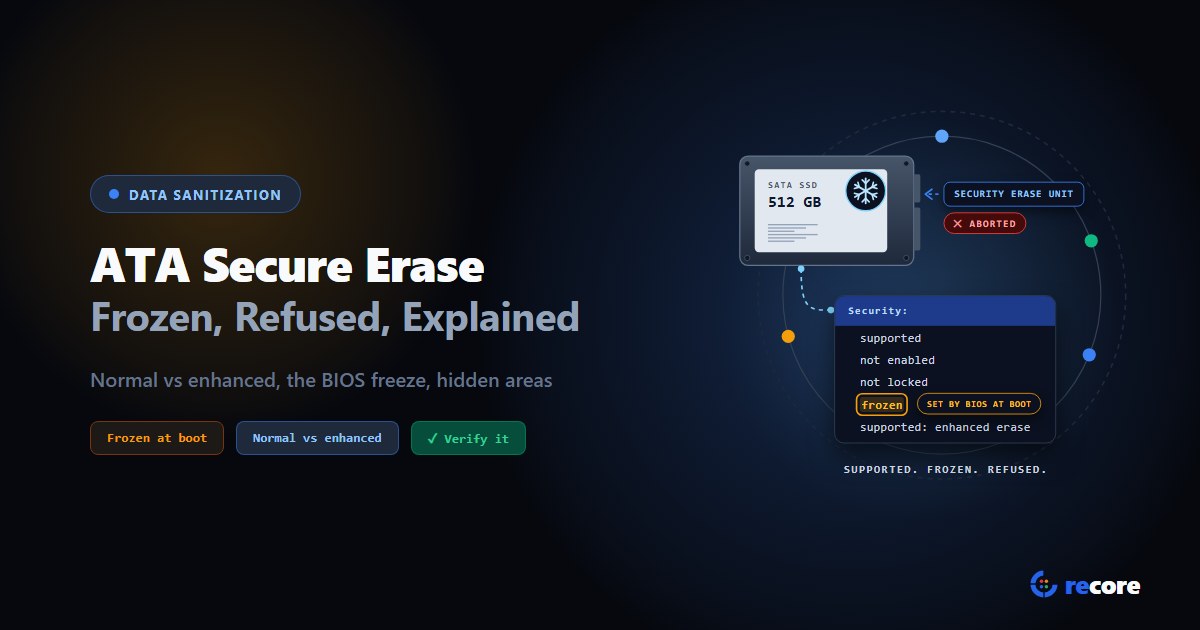
ATA Secure Erase Explained: Normal, Enhanced and Frozen Drives
What ATA Secure Erase does in normal and enhanced mode, why drives show frozen or not supported, what it misses (HPA, DCO), and how to verify it.
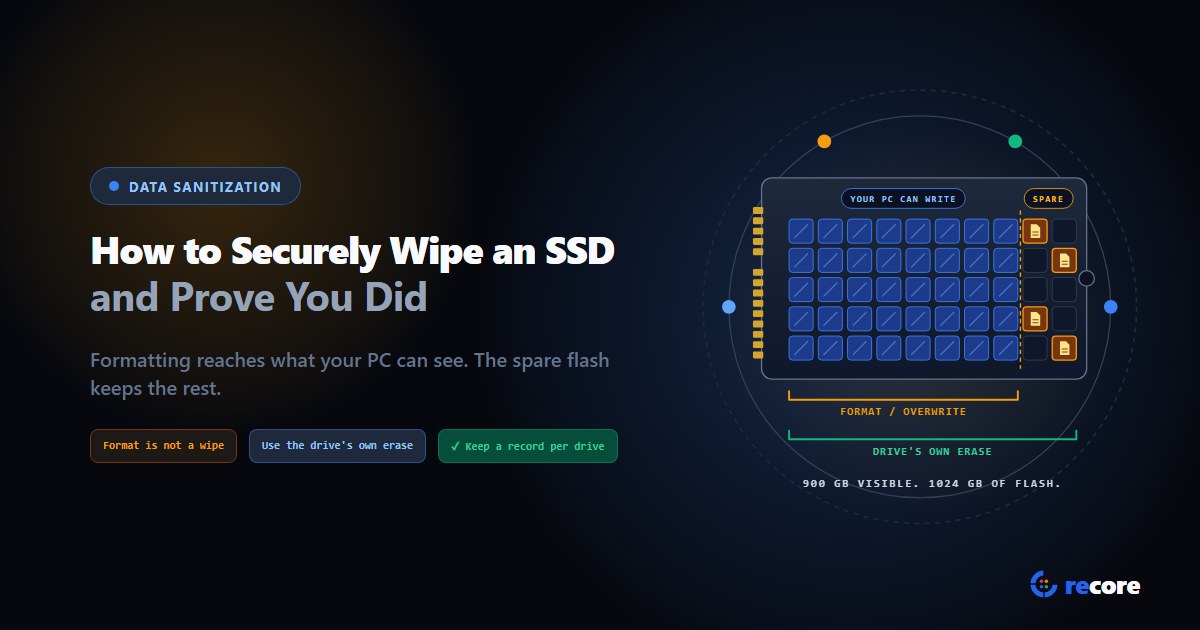
How to Securely Wipe an SSD (and Prove You Did)
Formatting doesn't wipe an SSD. Which erase command fits SATA, NVMe and self-encrypting drives, how to check it worked, and what record to keep.
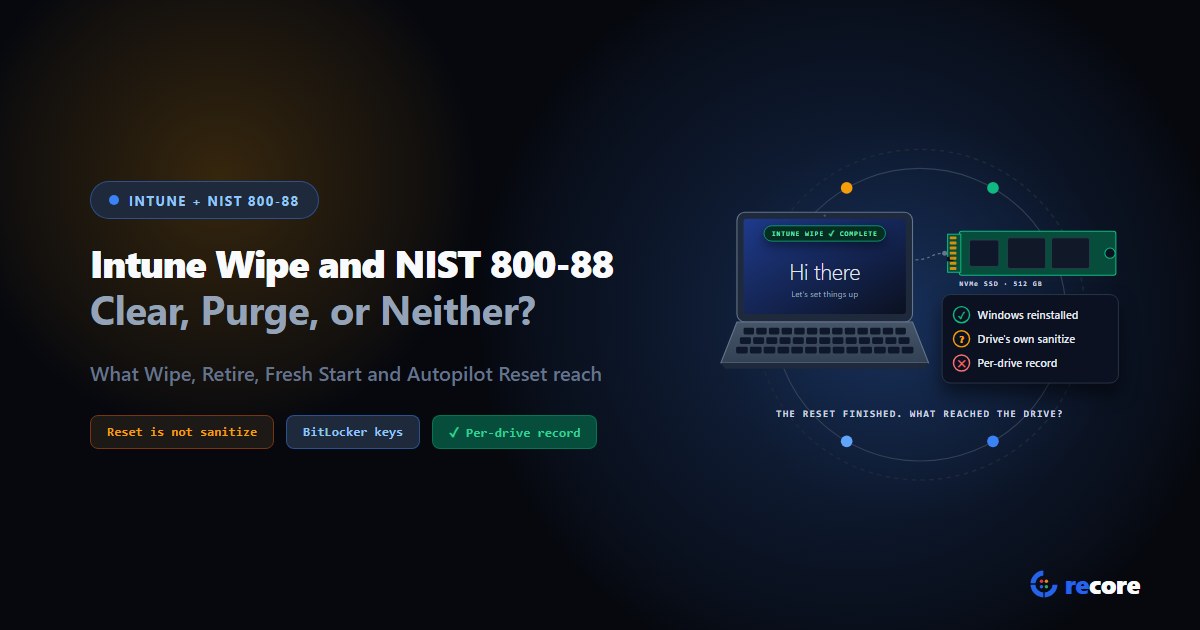
Does an Intune Wipe Count as NIST 800-88 Purge?
What Intune Wipe, Retire, Fresh Start and Autopilot Reset actually do, how each maps to NIST 800-88 Clear and Purge, and what an auditor gets.
Stay Ahead in Data Sanitization & ITAD Compliance
Join enterprise IT managers and electronics refurbishers receiving our monthly technical standards breakdowns, NIST/R2v3 audit tips, and benchmark releases.