ATA Secure Erase Explained: Normal, Enhanced and Frozen Drives
What ATA Secure Erase does in normal and enhanced mode, why drives show frozen or not supported, what it misses (HPA, DCO), and how to verify it.
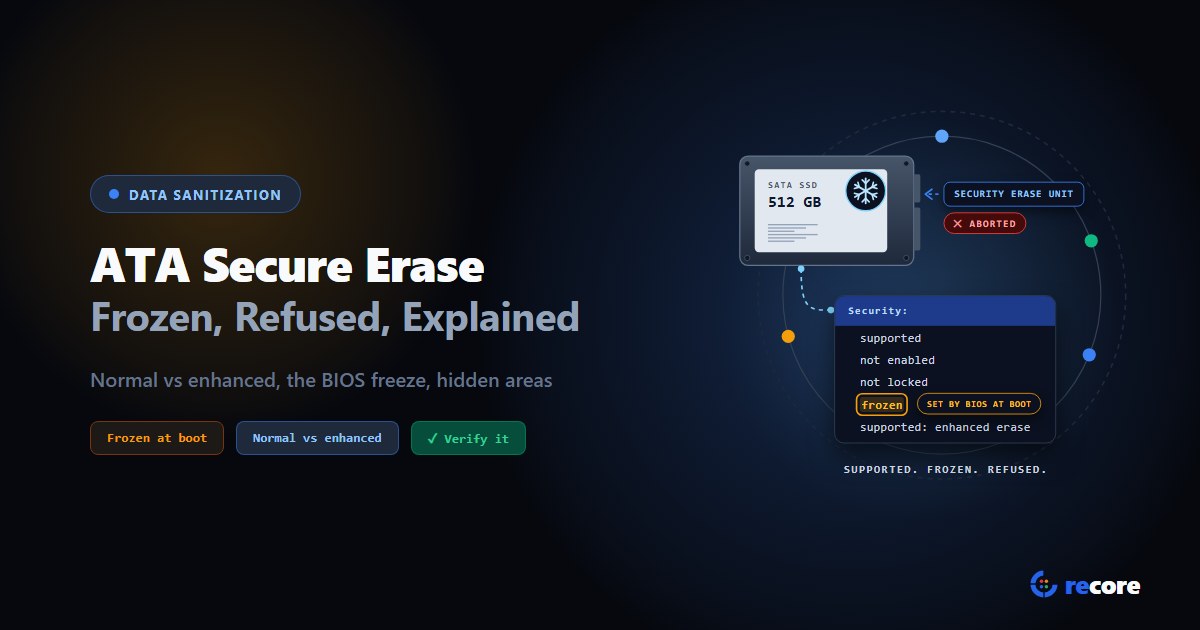
ATA Secure Erase, short version: it's a command built into SATA drives, SECURITY ERASE UNIT, that tells the drive's own firmware to erase it. Normal mode writes 0s or 1s over every block up to the drive's native max address. Enhanced mode also covers sectors the drive retired as bad, and the vendor decides what it writes. A drive that says "frozen" was locked by the BIOS at boot and will refuse the command until it is reset.
Why it matters: the command name sounds final, but it isn't the same erase on every drive. NIST's 2014 guidance called it Purge for some hard drives and only Clear for SSDs. And when it's refused, many tools quietly fall back to an overwrite. If that ends up on a certificate as "Secure Erase", the record is wrong.
The ATA/ATAPI Command Set ACS-3 working draft (T13/2161-D Revision 5, October 2013; later revisions exist and the final standard is ISO/IEC 17760-103, which we haven't read), NIST SP 800-88 Rev. 1 (December 2014, superseded) and Rev. 2 (September 2025), the hdparm manual page and the Linux kernel's ATA Secure Erase wiki. We don't quote IEEE 2883 directly.
1. Normal vs enhanced, side by side
| Normal erase | Enhanced erase | |
|---|---|---|
| Command | SECURITY ERASE UNIT, ERASE MODE bit 0 | SECURITY ERASE UNIT, ERASE MODE bit 1 |
| Range | LBA 0 to the native max address | LBA 0 to the native max address |
| Retired (reallocated) sectors | Not erased | Erased |
| What it writes | Binary 0s or 1s | Vendor specific |
| Optional for the drive? | Required by the Security feature set | Optional; the drive reports support in IDENTIFY |
| NIST Rev. 1, ATA hard drive | Not listed | Purge (Table A-5) |
| NIST Rev. 1, ATA SSD | Clear (Table A-8) | Clear (Table A-8) |
| NIST Rev. 2 | No per-drive list; points to IEEE 2883 | No per-drive list; points to IEEE 2883 |
The first four rows come from ACS-3 Table 91. Its footnote defines the reallocated row: "User data sectors that were previously written and are no longer in use due to reallocation are written by the SECURITY ERASE UNIT command" in enhanced mode only.
The vendor-specific row is the one to watch. NIST Rev. 1 puts it plainly: "The actual action performed by an enhanced erase varies by vendor and model, and could include a variety of actions that have varying levels of effectiveness." Some drives may run a cryptographic erase or a block erase under the hood. NIST notes that "It may be difficult or impossible for users to know for sure how the sanitization action is being implemented."
2. How the command works
The ATA Security feature set is a password system. It was built to lock a drive, not to wipe it. The erase is part of it, so it follows the password rules:
- Set a password. SECURITY ERASE UNIT is aborted if security isn't enabled and the command compares the User password (ACS-3, 7.39.2). So tools set a temporary one first. hdparm's convention is
NULL, an empty password padded with zeros to 32 bytes. - Send SECURITY ERASE PREPARE, then SECURITY ERASE UNIT. The prepare command must come immediately before the erase, or the drive aborts it.
- Wait. The drive reports its own time estimate in IDENTIFY. hdparm shows it as, for example, "2min for SECURITY ERASE UNIT. 2min for ENHANCED SECURITY ERASE UNIT." A hard drive can take hours.
- Security switches itself off. On success, the command "shall disable Security" and invalidate the User password (ACS-3, 7.39.2).
On Linux, with hdparm, the sequence looks like this. Check the state first with hdparm -I:
hdparm -I /dev/sdX                                  # Security: supported, not enabled, not locked, not frozen
hdparm --user-master u --security-set-pass NULL /dev/sdX
hdparm --user-master u --security-erase-enhanced NULL /dev/sdX   # or --security-erase for normal mode
The hdparm manual marks both erase options "DANGEROUS". The kernel wiki adds two warnings worth reading before you try it. Don't run it through a USB adapter: one contributor's adapter accepted the password but not the erase, and afterwards the BIOS couldn't recognise the drive ("bricked", in their word). And if the erase fails, take the password off again with --security-disable before the drive is powered off. Otherwise it comes back locked.
3. Why the drive says "frozen"
A frozen drive has received a SECURITY FREEZE LOCK command. ACS-3 says the command "prevents changes to all Security states ... until a subsequent power-on reset or hardware reset," and gives the reason: it "prevents password setting attacks on the security system."
Here is the attack it stops. If nothing froze the drive, any program running on the machine could set a password on it. The next time the drive powered on, it would be locked to its owner. So the BIOS freezes the drive at boot, before any operating system runs. The kernel wiki: "Many BIOSes will protect your drives if you have a password set (security enabled) by issuing a SECURITY FREEZE command before booting an operating system."
A frozen drive refuses SECURITY ERASE UNIT outright (ACS-3 Table 11, Frozen column: "Command aborted"). No ATA command undoes a freeze. Only a reset does. The workarounds people use:
- Sleep and wake. The kernel wiki: "Placing my system into 'sleep' (suspend to RAM) worked too," on "PCs from various manufacturers including Dell, Lenovo, and Clevo."
- Re-plug the drive. Hot-plugging the SATA data cable, or power and data together, after the system has booted. The wiki warns this "might crash your kernel".
- A dedicated wipe machine. NIST Rev. 1 suggests "a PC or workstation, with an external drive bay that facilitates safely connecting a drive after the system has been powered on." It also says freeze behaviour varies between computers, so "refer to the computer manufacturer for details about the behavior of specific models."
None of these is guaranteed. Whether sleep clears a freeze depends on the machine's firmware.
4. Why it says "not supported"
"Not supported" is often the wrong name for the problem. Here's what usually sits behind it.
| What's going on | How you can tell | What to do |
|---|---|---|
| The BIOS froze the drive | hdparm -I shows frozen | Sleep and wake, re-plug, or use another machine (section 3) |
| The drive is locked with someone's password | hdparm -I shows locked or enabled | Unlock with the password, or a master password if you have one |
| A USB adapter is in the way | The password step or the erase fails with an I/O or pass-through error | Connect the drive straight to a SATA port |
| Enhanced mode on a normal-only drive | No supported: enhanced erase line | Use normal mode (ACS-3 aborts enhanced on such a drive) |
| The drive has no ATA Security feature set | No Security section in hdparm -I | Use the drive's other sanitize commands, or an overwrite |
| It's an NVMe drive | It shows up as /dev/nvme... | ATA commands don't apply. Use Format NVM or Sanitize (NVMe Format vs Sanitize) |
5. What it reaches, and what it doesn't
Hidden areas. A drive can show the computer less space than it really has. Two ATA features do this:
- HPA (Host Protected Area). The hdparm manual calls it the "max visible number of sectors".
hdparm -Nshows two numbers, the visible maximum and the native one. "The difference between these two values indicates how many sectors of the disk are currently hidden." - DCO (Device Configuration Overlay). Lets a vendor or OEM installer turn off features and shrink capacity.
hdparm --dco-identifyshows what's hidden. Its--dco-restoreoption resets "accessible capacities back to factory defaults", and the manual says of it: "DO NOT USE THIS COMMAND."
ACS-3 says both erase modes cover LBA 0 to the native max address. An HPA hides sectors below that address, so the erase range includes them. We found nothing in our sources on whether the erase reaches a DCO-hidden region.
NIST Rev. 1 makes the practical point either way: "Even when a dedicated sanitization command addresses these areas, their presence may affect the ability to reliably verify the effectiveness of the sanitization procedure if left in place." Its advice is to reset them first, with a warning that "an OEM-provided restoration image may have been stored in this manner."
Spare flash on SSDs. This is the bigger gap. An SSD keeps extra flash it never shows to the computer, for wear levelling and replacing worn blocks. NIST Rev. 1, Table A-8: "Whereas ATA Secure Erase was a Purge mechanism for magnetic media, it is only a Clear mechanism for flash memory due to variability in implementation and the possibility that sensitive data may remain in areas such as spare cells that have been rotated out of use."
Rev. 1 lists the ATA Sanitize command (block erase or crypto scramble) and TCG Opal cryptographic erase as Purge for SATA SSDs. Not Security Erase. It also prefers Sanitize over Security Erase on hard drives that support both.
6. Where it sits in NIST Clear and Purge
Rev. 1 (2014, superseded) gave a row per drive type:
- ATA hard drive: Purge option 2 is "the ATA Security feature set's SECURE ERASE UNIT command, if support, in Enhanced Erase mode." It adds that, given how much implementations vary, "use of this command is not recommended without first consulting with the manufacturer to verify that the storage device's model-specific implementation meets the needs of the organization."
- ATA SSD: Clear option 2 is "the ATA Security feature set's SECURITY ERASE UNIT command, if supported." No Security Erase mode appears under Purge.
Rev. 2 (2025) drops the per-drive tables. It says technology-specific techniques, other than cryptographic erase, are out of its scope, and that "IEEE 2883 should be consulted to determine acceptable purge sanitization techniques." It describes those as "dedicated, standardized device sanitize commands." Appendix B warns that "the command name might imply a certain capability but not actually meet minimum requirements for the sanitization method." It suggests asking the drive vendor for "a list of any areas that are not addressed by the sanitization command."
What we can't confirm. We haven't read IEEE 2883, so we can't tell you how it classes ATA Security Erase. If your contract or auditor works from IEEE 2883 or from Rev. 1's tables, check there. More on the standard itself: NIST SP 800-88 explained.
7. How to verify it
Three checks, in order:
- The command finished without error. Rev. 2 section 4.5.1 says logical purge can be verified "by checking the completion status of the tools and identifying errors, anomalies, and the health of the ISM."
- Security is off again. After a successful erase the drive should report security disabled. If the password is still set, the erase didn't complete as the standard describes. The drive will also lock at its next power-on.
- Read it back. Rev. 2 says full or representative sampling isn't needed "unless explicitly required by organizational policy." Many contracts do require it. Read back against the value the drive actually erased to, which can be 0x00 or 0xFF. An enhanced erase that ran as a crypto erase reads back as noise. For those, the check has to be markers written before the erase and confirmed unreadable after.
How much to read back is its own question. We covered it in how much of a drive to read back.
8. Where reCore fits
reCore reads each SATA drive's security state and decides for itself. Nobody picks from a menu.
- Enhanced first. If the drive reports enhanced erase, reCore uses it. If enhanced can't run, the Linux station tries normal mode next.
- Frozen drives get one sleep. On the Linux station, a frozen drive gets one suspend-to-RAM of about five seconds, using
rtcwakeso the machine wakes itself. Then reCore reads the frozen bit again and only erases if it's clear. It won't suspend while another drive on the bench is mid-write. A workflow setting or a station switch can turn this off. This has not been tested on real hardware yet. Whether it clears the freeze depends on each machine's firmware. - Passwords are never left behind. reCore sets the temporary
NULLpassword itself and refuses a drive that already has someone else's. If the erase fails, it removes the password before moving on. If it can't confirm the password is gone, the wipe fails with unlock steps, so the drive doesn't leave the bench locked. - Fallbacks are labelled. If Security Erase can't run (frozen after the sleep, locked, USB adapter, no support), reCore overwrites the drive with a random pattern on SSDs, or zeros on hard drives, and records Clear. Under a Purge-required policy it fails the wipe instead.
- Verification fits the result. reCore reads back at least 10% of the drive by default, up to 100% if your policy asks. It compares against the fill value it finds on the drive, not an assumed zero. On the Linux station, markers written before the erase decide when the drive reads back as noise.
- Hidden areas are reported, not removed. Before the wipe, reCore checks SATA drives for an HPA (and a DCO on Linux) and prints the finding on the certificate. A drive with a hidden area still gets wiped, and the certificate says part of it wasn't covered. reCore doesn't reset HPA or DCO settings, because that permanently rewrites the drive's configuration.
What it doesn't do yet, and what you should know:
- It doesn't use the ATA Sanitize command, which NIST Rev. 1 prefers.
- It records ATA Secure Erase the way NIST Rev. 1 does. Enhanced mode on a hard drive is Purge. Normal mode, and any Security Erase on an SSD or a drive whose type it can't confirm, is Clear. So under a Purge-required policy, a SATA SSD that only offers Security Erase fails the wipe instead of passing as Purge. Certificates issued before this rule came in keep what they say.
- The Windows station can send Security Erase too, but it can't sleep the machine, so a frozen drive gets an overwrite. That Windows path hasn't been tested against real drive firmware yet.
More on the data wipe page, and how reCore picks a method for every drive type in choosing and verifying the wipe method per drive.
Conclusion
ATA Secure Erase is one command with two modes. It's quick, it's built into the drive, and it's handled differently by every vendor. A "frozen" drive isn't broken: the BIOS locked it on purpose, and a reset clears it. On a hard drive, enhanced mode was a Purge in NIST's own table. On an SSD, that same table only called it Clear. Whatever you run, record the mode, whether the drive was frozen and how that was cleared, whether a hidden area was found, and how you checked the result. Those are the questions an auditor will ask.
Sources
- INCITS T13, ATA/ATAPI Command Set - 3 (ACS-3), Working Draft T13/2161-D Revision 5, October 28, 2013. Sections 4.18.5, 4.18.11 (Table 11), 7.39 (Tables 91 and 93) and 7.40.
- NIST, SP 800-88 Rev. 1, December 2014 (superseded by Rev. 2). Appendix A introduction, Tables A-5 and A-8, Appendix E and the glossary entry for Secure Erase Command.
- NIST, SP 800-88 Rev. 2, September 2025. Sections 3.1, 3.1.2, 4.5.1 and Appendix B.
- hdparm(8) manual page:
-I,-N,--dco-identify,--dco-restore,--security-set-pass,--security-erase,--security-erase-enhanced,--security-freeze. - Linux kernel ATA wiki, ATA Secure Erase (archived).
Frequently asked questions
What is the difference between Secure Erase and Enhanced Secure Erase?
Both are modes of the same ATA command, SECURITY ERASE UNIT. In the ATA/ATAPI Command Set (ACS-3 draft, Table 91), normal mode writes binary 0s or 1s from LBA 0 to the drive's native max address and does not have to touch sectors retired by reallocation. Enhanced mode also erases those reallocated sectors, and what it writes is vendor specific. NIST SP 800-88 Rev. 1 adds that what an enhanced erase actually does varies by vendor and model.
Why does my SSD say security frozen?
Something sent the drive a SECURITY FREEZE LOCK command, usually the computer's BIOS or UEFI at boot. The ATA standard says freeze lock exists to prevent password setting attacks, and that the frozen state only ends with a power-off or hardware reset. A frozen drive aborts Secure Erase. Re-plugging the drive or putting the computer to sleep and waking it has worked for many people, according to the Linux kernel's ATA wiki, but not on every machine.
Why does it say Secure Erase is not supported?
The usual causes are: the drive does not implement the ATA Security feature set; it is an NVMe drive, which uses Format NVM and Sanitize instead of ATA commands; it is frozen or locked with a password; it sits behind a USB adapter that does not pass ATA security commands through; or enhanced mode was requested on a drive that only supports normal mode.
Does ATA Secure Erase erase the HPA and DCO?
The ACS-3 draft says both erase modes cover LBA 0 to the native max address, which includes space hidden by a Host Protected Area. None of the sources we read say whether it reaches space hidden by a Device Configuration Overlay. NIST SP 800-88 Rev. 1 says to reset HPA and DCO settings before sanitizing, because even when the erase reaches those areas, leaving them in place affects your ability to verify the result.
Is ATA Secure Erase NIST Purge?
It depends on the drive and the revision you work from. NIST SP 800-88 Rev. 1 lists the enhanced erase as a Purge option for ATA hard drives, but calls ATA Secure Erase only a Clear mechanism for SSDs, because spare flash cells may keep data. Rev. 2 (2025) no longer lists techniques per drive and points to IEEE 2883 instead.
Does Secure Erase remove Windows?
Yes. The ATA command erases from the first block of the drive to its native max address, so the operating system, its partitions and any recovery partition go with everything else. The computer will need a fresh install afterwards.
reCore Research Lab
OfficialCompliance & Security Group
Technical research group specializing in NIST SP 800-88, IEEE 2883, SERI R2v3 standards, and forensic data recovery testing.
Wipe every drive. Prove every wipe.
reCore picks the purge method for each drive, verifies the result, and issues a per-drive certificate that a second person approves.
Related Guides & Research
Continue exploring compliance standards, firmware sanitization, and hardware diagnostics.
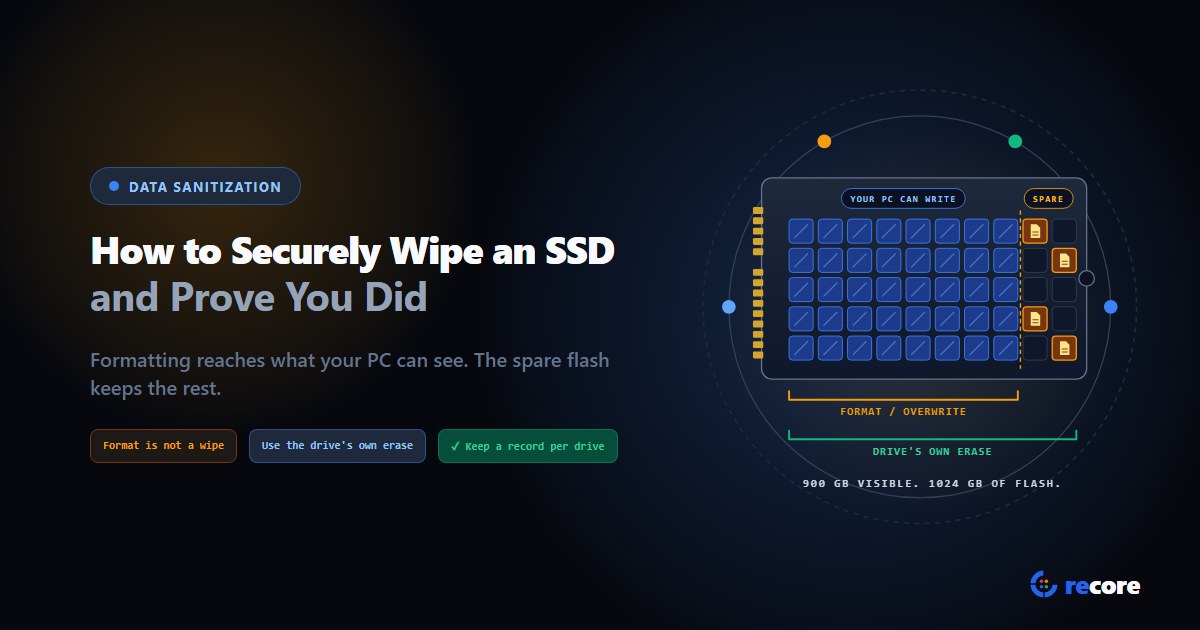
How to Securely Wipe an SSD (and Prove You Did)
Formatting doesn't wipe an SSD. Which erase command fits SATA, NVMe and self-encrypting drives, how to check it worked, and what record to keep.
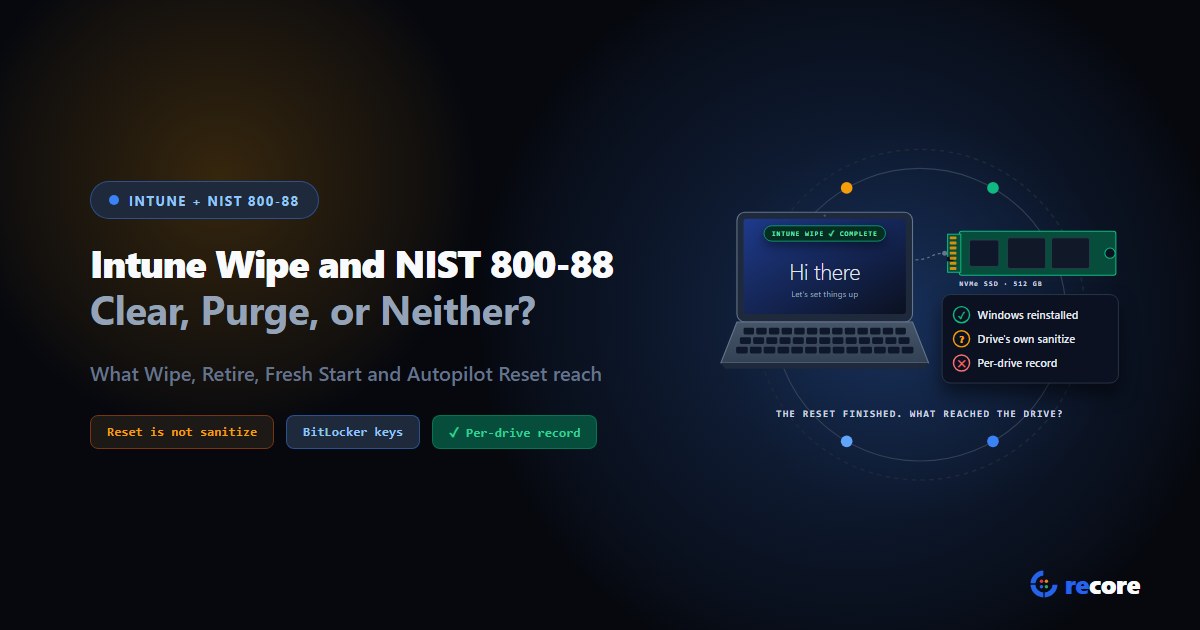
Does an Intune Wipe Count as NIST 800-88 Purge?
What Intune Wipe, Retire, Fresh Start and Autopilot Reset actually do, how each maps to NIST 800-88 Clear and Purge, and what an auditor gets.
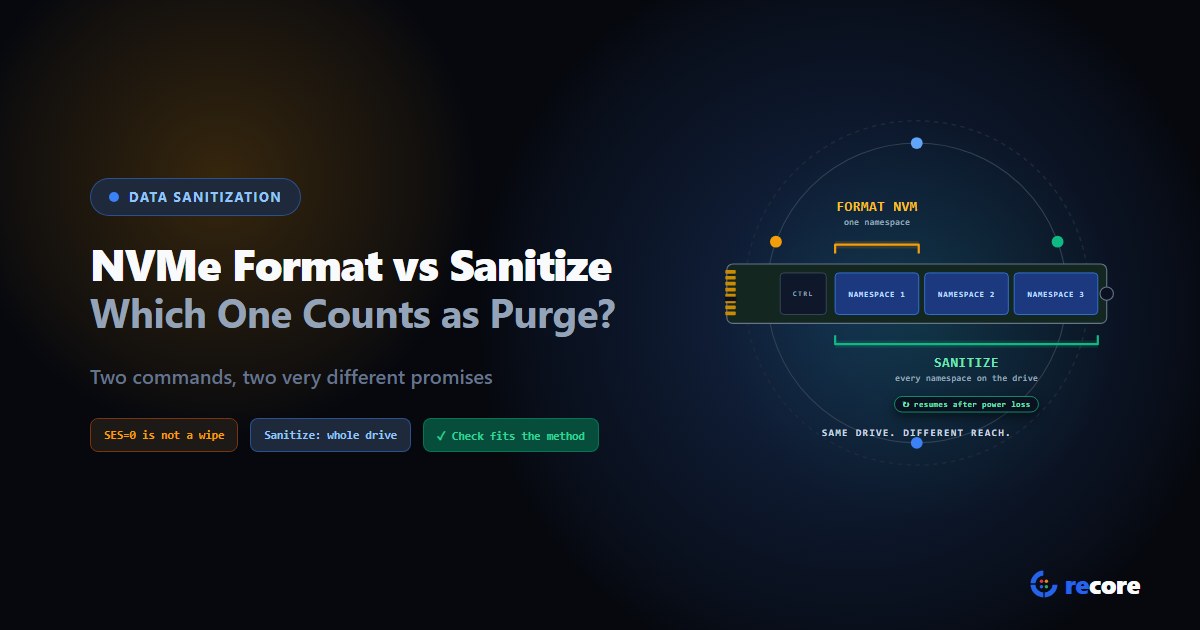
NVMe Format vs Sanitize: Which One Counts as Purge?
Format NVM with SES=1 or 2, or the Sanitize command? What each one erases, which counts as NIST Purge, and how to verify it, from the NVMe spec itself.
Stay Ahead in Data Sanitization & ITAD Compliance
Join enterprise IT managers and electronics refurbishers receiving our monthly technical standards breakdowns, NIST/R2v3 audit tips, and benchmark releases.