NVMe Format vs Sanitize: Which One Counts as Purge?
Format NVM with SES=1 or 2, or the Sanitize command? What each one erases, which counts as NIST Purge, and how to verify it, from the NVMe spec itself.
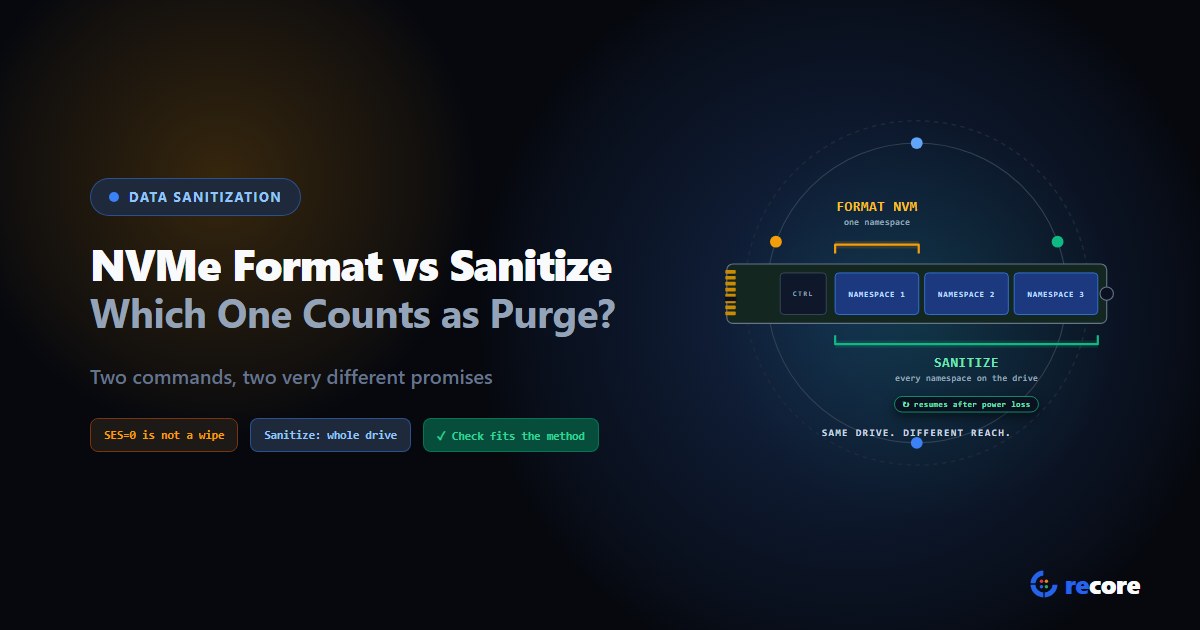
NVMe Format vs Sanitize, short version: the Sanitize command is the one the NVMe specification itself defines as a purge or clear in IEEE 2883 terms. It covers the whole drive, it can't be aborted, and it keeps going after a power loss. Format NVM counts as Purge only with a secure erase setting (SES=1 or SES=2), which is how NIST's 2014 guidance listed it for NVMe. Format with SES=0 erases nothing you can put on a certificate.
Why you should care: "Purge" on your certificate is a claim about how far recovery is blocked. Two commands can both leave a drive looking empty and still not let you make the same claim. If an auditor asks which command ran, you'll want an answer better than "the secure erase one."
The NVM Express Base Specification, Revision 2.4 (ratified July 31, 2026), NIST SP 800-88 Rev. 2 (September 2025) and NIST SP 800-88 Rev. 1 (December 2014, superseded). We don't quote IEEE 2883 directly. Where it matters, we say what NIST and the NVMe spec say about it.
1. Format and Sanitize side by side
| Command | Scope | What it reaches | After power loss | Clear or Purge | How to verify |
|---|---|---|---|---|---|
| Format, SES=0 | One namespace, or all if the drive's FNS bit is set | No erase requested. The drive only promises not to return old data | Not specified | Neither. Don't record it as a sanitization | Nothing to verify |
| Format, SES=1 (User Data Erase) | One namespace, or all if the drive's SENS bit is set | "All user data, regardless of location", e.g. caches and deallocated blocks | Not specified | Purge in NIST Rev. 1 (2014) | Read back against the drive's actual erased state |
| Format, SES=2 (Cryptographic Erase) | Same as SES=1 | Deletes the key the user data was encrypted with | Not specified | Purge in NIST Rev. 1, if the encryption meets NIST's preconditions | Before-and-after markers, not a byte read-back |
| Sanitize, Block Erase | Whole NVM subsystem | All user data media, deallocated media, caches, internal buffers | Continues across power cycles | Purge or Clear per IEEE 2883; newer drives report which | Sanitize Status log, then read back the erased state |
| Sanitize, Crypto Erase | Whole NVM subsystem | Changes every media encryption key; unencrypted areas are erased by other means | Continues across power cycles | Purge, if the encryption meets NIST's preconditions | Sanitize Status log, plus before-and-after markers |
| Sanitize, Overwrite | Whole NVM subsystem | Same areas as Block Erase | Continues across power cycles | Purge or Clear per IEEE 2883; newer drives report which | Sanitize Status log, then read back the pattern |
The rest of this article walks through each column and where we got it.
2. What Format NVM actually does
Format NVM wasn't built for wiping. It's there to change how a namespace is laid out, such as its block size. A namespace is a slice of the drive that the host sees as one disk. Most laptop drives have one; enterprise drives can have several. Erasing is an option on top of the format, chosen by a 3-bit field called Secure Erase Settings, or SES (spec section 5.2.11, Figure 195):
- SES=0: "No secure erase operation requested."
- SES=1, User Data Erase: "All user data shall be erased, contents of the media allocated for user data after the erase is indeterminate (e.g., the user data may be zero filled, one filled, etc.)."
- SES=2, Cryptographic Erase: "All user data shall be erased cryptographically. This is accomplished by deleting the encryption key."
For SES=1 and SES=2, the spec adds that "the erase applies to all user data, regardless of location (e.g., within an exposed LBA..., within a cache, within deallocated logical blocks, etc.)."
SES=0 is not a wipe. After any successful Format, "the controller shall not return any user data that was previously contained in an affected namespace." That stops the host reading old data back. It doesn't promise the data was erased, and no NIST or NVMe text we read calls it Clear or Purge. A tool that runs a plain format and certifies Purge is overstating what happened.
SES=1 may quietly be a crypto erase. The spec allows it: "If a User Data Erase is requested and all affected user data is encrypted, then the controller is allowed to use a cryptographic erase to perform the requested User Data Erase." So a drive told to do SES=1 can come back reading as noise rather than zeros. That's within the spec, and it changes how you'll verify it (section 5).
Scope depends on the drive. Figure 194 sets the scope from two bits the drive reports in its Format NVM Attributes:
- With a secure erase (SES=1 or 2), the SENS bit decides. If it's set, "any secure erase performed as part of a format operation results in a secure erase of all namespaces in the NVM subsystem." If it's clear, only the namespace you named is erased, and "other namespaces are not affected."
- Without one (SES=0), the FNS bit decides in the same way.
On a single-namespace drive the two scopes come out the same. On a multi-namespace drive they don't, and your record should say which one ran.
Power loss is not covered. The spec doesn't say a Format resumes after a reset. It only logs that one happened mid-format: a Reset During NVM Format bit in the Persistent Event log (section 5.2.13.1.14.2.4).
3. What Sanitize actually does
Sanitize was added to NVMe later (Annex A dates it to Revision 1.3). It's built for this job. The spec defines a sanitize operation as one that "purges or clears user data in the sanitization target," using IEEE 2883's own meanings: "A successful purge makes recovery of the target data infeasible using state of the art laboratory techniques, while a successful clear makes target data inaccessible over the host interface" (section 8.1.27).
There are three actions: Block Erase, Crypto Erase and Overwrite (section 5.2.26). Four things set Sanitize apart from Format.
1. It covers the whole drive. The Sanitize command works on the NVM subsystem, meaning the whole drive, not one namespace. Figure 770 lists what that reaches: all media allocated for user data, "all deallocated media," all volatile and non-volatile caches holding user data, other internal buffers, and the Controller Memory Buffer. Media that can't be written, such as write-protected media, "shall be made not retrievable." Firmware, boot partitions and the serial number are untouched.
2. It names the hidden space. Annex A.2 says sanitize operations "purge or clear all physical storage in the sanitization target that is able to hold user data," and talks about over-provisioning directly: the extra flash a drive keeps for wear and spare blocks, which the host can't address. NIST makes the same point. Its example is a drive with 1024 GB of flash and 900 GB visible, where "user data may be stored on the full 1024 GB" and "the entire contents should be sanitized" (Rev. 2, section 2.3).
3. It survives power loss. Once running, a sanitize "is not able to be aborted and continues after a Controller Level Reset, including across power cycles" (section 8.1.27). If someone pulls the plug, you don't end up with a half-erased drive that looks fine.
4. Newer drives tell you whether they purged. A drive that sets the SPRRS capability bit accepts a Purge Required flag. If that flag is set and the operation "does not purge user data as defined in IEEE Std 2883, then that sanitize operation shall fail." Afterwards, the Purged bit in the Sanitize Status log page says which outcome you got (Figures 451 and 312). That turns "Purge" from something you claim into something the drive reports.
The flip side: without that flag, a Block Erase or Overwrite that can't reach some data, but makes it unreadable, still succeeds as a clear (section 8.1.27.2). "Sanitize completed" alone doesn't prove Purge.
Crypto Erase is held to a strict rule. It fails if any old encryption key location is left unaltered, because "the old value is subject to recovery by an advanced laboratory technique." Data that was never encrypted, which a key change can't touch, has to be erased by other means.
Revision 2.4 also defines a separate Sanitize Namespace command for a single namespace. Its only action is Crypto Erase (section 5.2.27). The spec warns that sanitizing every namespace one by one "does not have the same effect" as sanitizing the whole subsystem.
4. Which one counts as Purge?
Start with NIST's definitions. Rev. 2 defines Clear as protection "against simple, non-invasive data recovery techniques using the same interface that is available to the user." Purge makes "recovery of target data infeasible using state-of-the-art laboratory techniques" while keeping the drive usable (sections 3.1.1 and 3.1.2).
Rev. 2 doesn't list NVMe commands. It says IEEE 2883 "should be consulted to determine acceptable purge sanitization techniques, which can include overwrite, block erase, and cryptographic erase using dedicated, standardized device sanitize commands." Device-specific techniques, other than cryptographic erase, are out of its scope.
Rev. 1 did list them, and it listed Format. Its Table A-8 entry for NVM Express SSDs gives Purge as: "Apply the NVM Express Format command, if supported," using "The User Data Erase command" or, "If the device supports encryption, the Cryptographic Erase command." Its table has no NVMe Sanitize entry. Rev. 1 is superseded, but it's the most recent NIST text that names an NVMe Purge command.
The NVMe spec only ties Sanitize to IEEE 2883. Its Format NVM section never uses the words purge, clear or IEEE 2883. Its Sanitize sections use them throughout.
What we can't confirm. We haven't read IEEE 2883's own NVMe table, so we won't say whether it still accepts Format with SES=1 or 2 as Purge. If your contract or auditor works from IEEE 2883, ask them, or check the standard yourself. We'd rather say that than guess. There is no IEEE 2883 certification to lean on either; see what IEEE 2883 compliance should mean.
Rev. 2 also warns about command names. Appendix B: "the command name might imply a certain capability but not actually meet minimum requirements for the sanitization method." It suggests asking the drive vendor how their sanitize commands are implemented, and which areas they don't reach.
So here's what we'd do in practice:
- Sanitize (Block or Crypto Erase) is the strongest NVMe Purge you can run. Where the drive supports Purge reporting, set Purge Required and keep the Purged bit with the record.
- Format with SES=1 or 2 is a defensible Purge on Rev. 1's terms. Record the SENS bit, so the record shows whether every namespace was erased.
- Format with SES=0 is not a sanitization. Never certify it.
- Crypto Erase, by either command, is Purge only if the drive's encryption meets NIST's preconditions. Among them, no sensitive data may have been stored on the drive in plaintext (Rev. 2, section 3.2.2).
5. How to verify each one
Your check has to match the method, or it isn't checking anything. We covered the general rules in choosing and verifying the wipe method per drive. These are the NVMe specifics.
- Read the Sanitize Status log first. The Sanitize command returns as soon as the operation starts. In the spec's words, "completion of the command that starts a sanitize operation does not indicate completion of that sanitize operation." The log reports progress, then success or failure.
- Block Erase and Format SES=1: read back against the state the drive actually erases to, which can be zeros or ones. A SES=1 drive that reads back as noise may have done a crypto erase, which is allowed.
- Crypto Erase (either command): reading back proves nothing, because the drive can return anything once the key is gone. Write known markers before the erase and confirm they're unreadable after.
- Media Verification state. A drive that supports it can stop after a Block or Crypto Erase so the host can read the raw result, before the drive deallocates everything. Annex A.3 explains why that matters: extra writes a drive may make after an erase, so later reads don't return errors, "destroy the ability to forensically audit the result."
- Know the limit. The spec is frank: "It is very difficult to prove that the sanitize operation successfully purged all user data," and "only the accessible storage is able to be audited." For the hidden over-provisioned space, you're trusting the drive.
6. What the certificate should say
For each NVMe drive, the record should name the exact command and setting. "NVMe secure erase" isn't enough. It should include:
- The command: Format NVM or Sanitize.
- The setting: SES value, or the Sanitize action (Block Erase, Crypto Erase or Overwrite).
- The scope: one namespace or the whole subsystem, with the SENS bit for a Format.
- The method claimed, Clear or Purge, and on what basis: the drive's Purged bit, or the standard you're relying on.
- The verification method and result.
Our free certificate of sanitization template has fields for all of these.
7. Where reCore fits
reCore reads each NVMe drive's own capability fields and picks the command from them. Nobody picks from a menu.
- The drive decides. reCore reads the Format, crypto erase and Sanitize support bits from the controller and keeps the raw values with the wipe record.
- Format first, then Sanitize. It tries Format with SES=2 (the quickest, when the drive supports it), then SES=1, then Sanitize. If the drive refuses a command, reCore moves to the next one.
- Sanitize is followed to the end. reCore reads the raw Sanitize Status log and waits while it says Sanitizing, rather than trusting the command's return. A Sanitize Failed result fails the wipe. (While writing this article we found that earlier station versions misread that log and could move on before the drive finished. The fix ships in the next station update.)
- Verification fits the method. Crypto erases are checked with markers written before the erase and confirmed unreadable after. Format SES=1 and Sanitize Block Erase are read back against the fill value the drive actually returns. Because the spec lets a drive do a User Data Erase with an internal key, a drive that reads back as noise is then judged by markers written before the erase: gone means the erase took, still readable means it didn't (also in the next station update; until then such a drive fails verification).
- Fallbacks are labelled. If no hardware command works, reCore overwrites the drive with a random pattern and records Clear, not Purge.
What it doesn't do yet: it doesn't set Purge Required or read the Purged bit, it doesn't use the Media Verification state, and it doesn't record the SENS bit. NVMe hardware erase runs from reCore's Linux boot environment, not its Windows one. More on the data wipe page.
Conclusion
Format and Sanitize can both leave an NVMe drive looking empty, and that's exactly why they get confused. Only Sanitize comes with a spec-level promise about the whole drive, power loss and, on newer drives, Purge. Format with a secure erase setting is a reasonable Purge on NIST Rev. 1's terms. A plain format is not a wipe. For the whole process, see how to securely wipe an SSD. Whichever command you run, write down which one, with which setting, and how you checked it. That's what an auditor will ask for.
Sources
- NVM Express, NVM Express Base Specification, Revision 2.4, ratified July 31, 2026. Sections 5.2.11 (Figures 194 and 195), 5.2.13.1.14.2.4, 5.2.13.1.38 (Figure 312), 5.2.26 (Figure 451), 5.2.27, 8.1.27 (Figure 770), Figure 338 (FNA field) and Annex A.
- NIST, SP 800-88 Rev. 2, September 2025. Sections 2.3, 3.1, 3.1.1, 3.1.2, 3.2.2 and Appendix B.
- NIST, SP 800-88 Rev. 1, December 2014, Table A-8 (superseded by Rev. 2).
Frequently asked questions
Is NVMe Format a purge?
Only with a secure erase setting. Format NVM with SES=1 (User Data Erase) or SES=2 (Cryptographic Erase) is the NVMe Purge technique NIST SP 800-88 Rev. 1 listed in 2014. Format with SES=0 requests no erase at all and should not be recorded as Clear or Purge. NIST SP 800-88 Rev. 2 no longer lists techniques per drive type and points to IEEE 2883 instead.
What is the difference between NVMe Format and NVMe Sanitize?
Format NVM works on one namespace, or on all of them if the drive reports the Secure Erase Namespace Scope bit. Sanitize works on the whole NVM subsystem, including caches, deallocated media and the Controller Memory Buffer. A sanitize cannot be aborted and continues across power cycles; the spec gives Format no such rule. The NVMe spec also defines Sanitize as a purge or clear in IEEE 2883 terms, and newer drives can report which one was achieved.
Is NVMe sanitize crypto erase or block erase better?
Both can be Purge. Crypto Erase finishes fast but depends on the drive's encryption being sound, which NIST SP 800-88 Rev. 2 Section 3.2 sets preconditions for, and it cannot be checked by reading the drive back. Block Erase erases the media itself and can be checked by reading back the drive's erased state. If the drive supports both and you have no contract reason to prefer one, Block Erase leaves the easier evidence.
Can you verify an NVMe sanitize?
Partly. The Sanitize Status log page reports whether the operation succeeded, and drives that support Purge reporting set a Purged bit when the operation purged rather than cleared. Block Erase and Overwrite results can be read back. Crypto Erase needs a before-and-after check instead. The NVMe spec itself notes that over-provisioned storage cannot be audited through the interface.
Does NVMe Format with SES=1 erase over-provisioned space?
The NVMe Base Specification says the secure erase applies to all user data regardless of location, giving caches and deallocated logical blocks as examples. It does not mention over-provisioning by name. For Sanitize, the spec's Annex A says the operation covers all physical storage able to hold user data, and discusses over-provisioning directly.
reCore Research Lab
OfficialCompliance & Security Group
Technical research group specializing in NIST SP 800-88, IEEE 2883, SERI R2v3 standards, and forensic data recovery testing.
Wipe every drive. Prove every wipe.
reCore picks the purge method for each drive, verifies the result, and issues a per-drive certificate that a second person approves.
Related Guides & Research
Continue exploring compliance standards, firmware sanitization, and hardware diagnostics.
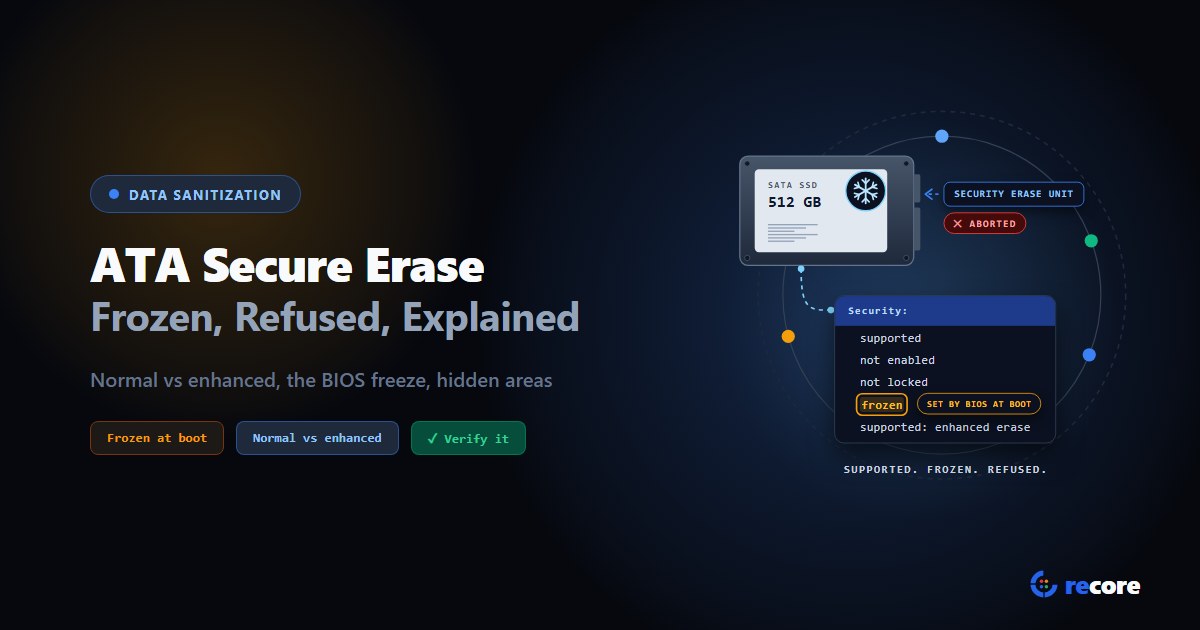
ATA Secure Erase Explained: Normal, Enhanced and Frozen Drives
What ATA Secure Erase does in normal and enhanced mode, why drives show frozen or not supported, what it misses (HPA, DCO), and how to verify it.
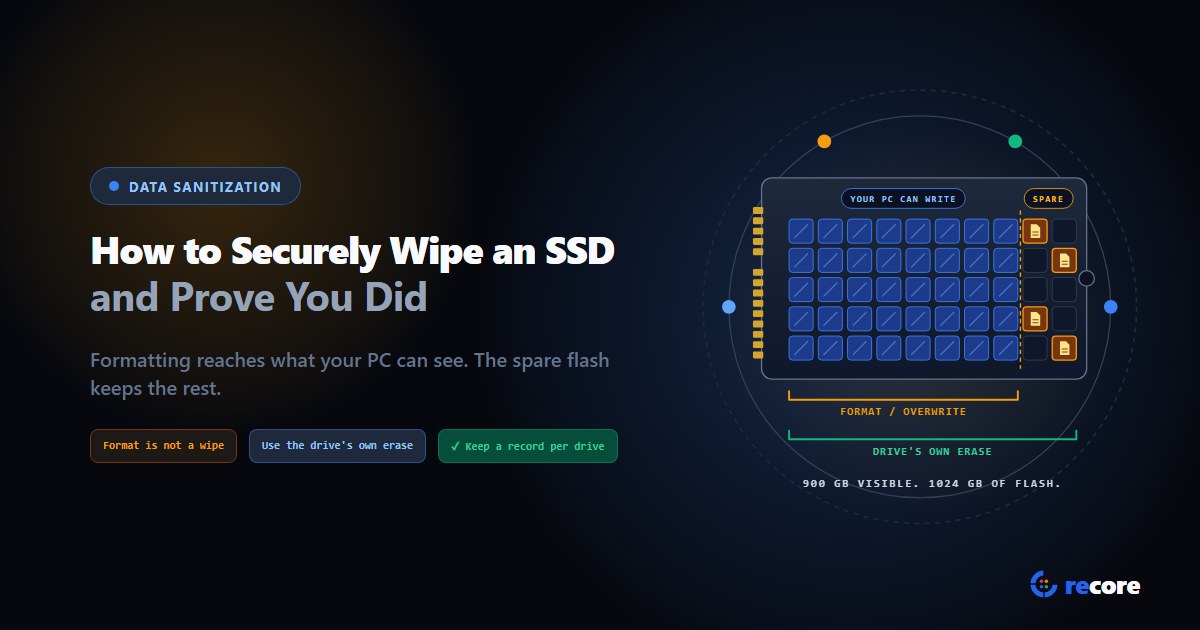
How to Securely Wipe an SSD (and Prove You Did)
Formatting doesn't wipe an SSD. Which erase command fits SATA, NVMe and self-encrypting drives, how to check it worked, and what record to keep.
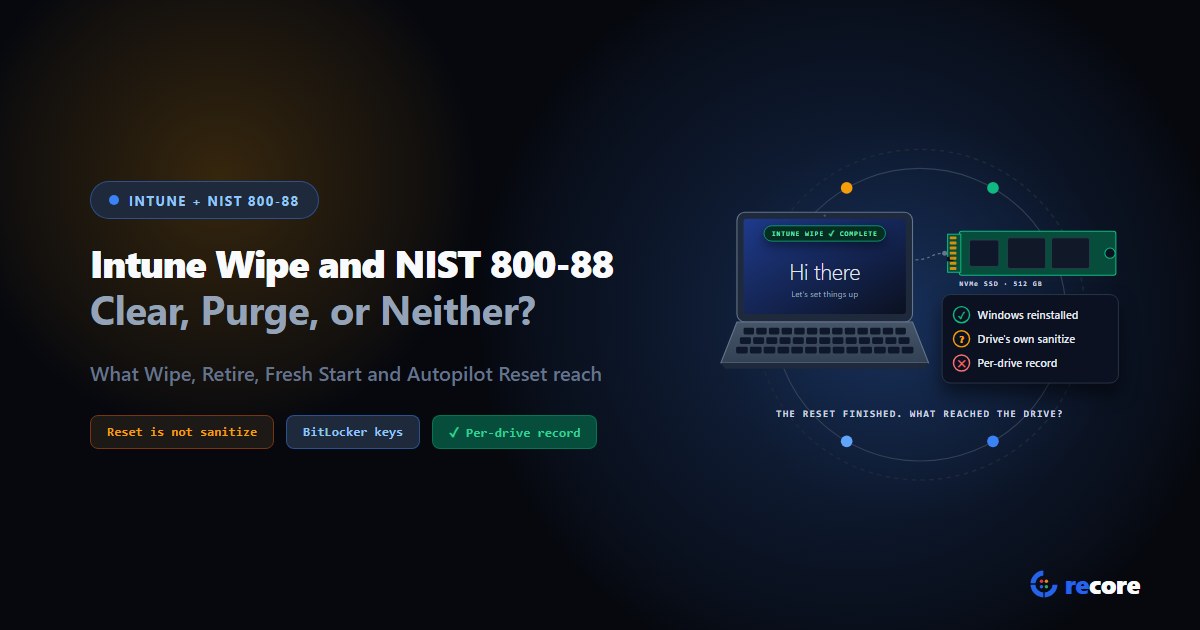
Does an Intune Wipe Count as NIST 800-88 Purge?
What Intune Wipe, Retire, Fresh Start and Autopilot Reset actually do, how each maps to NIST 800-88 Clear and Purge, and what an auditor gets.
Stay Ahead in Data Sanitization & ITAD Compliance
Join enterprise IT managers and electronics refurbishers receiving our monthly technical standards breakdowns, NIST/R2v3 audit tips, and benchmark releases.