Microsoft Is Deprecating Its PXE Server. Does Your Wipe Floor Need a Server at All?
Microsoft is deprecating WDS, the PXE server in Windows Server. What it means for network-boot wipe floors, and how reCore runs from USB and a browser.
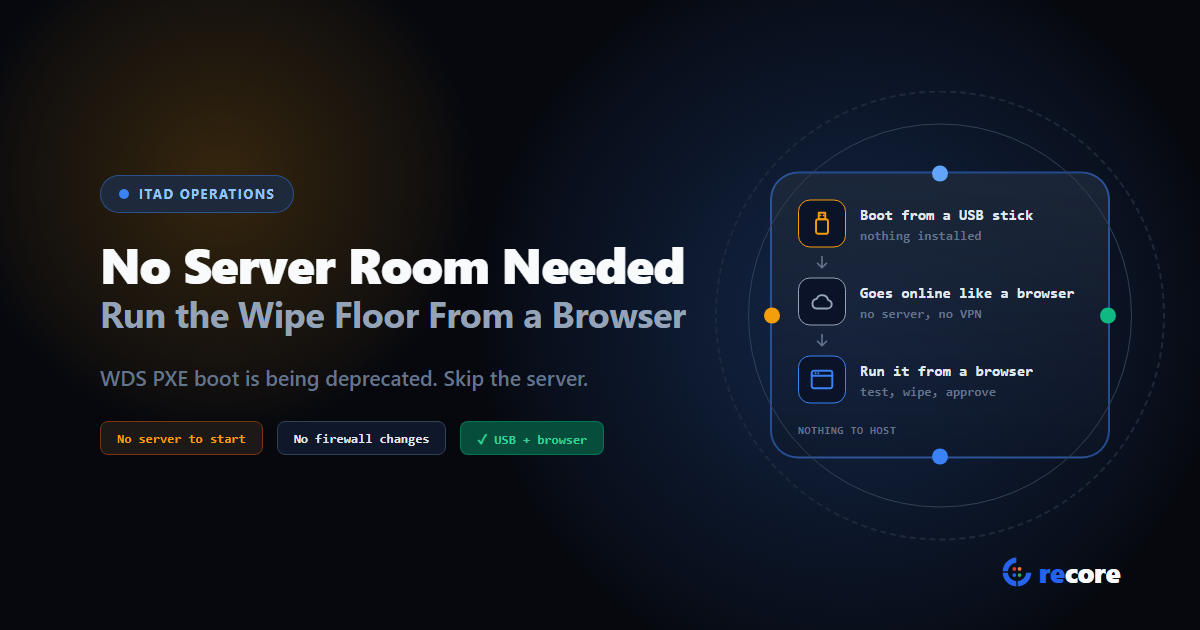
On September 21, 2026, Microsoft announced it is deprecating Windows Deployment Services (WDS), including "WDS-provided PXE boot and network bootstrap functionality." WDS is the network boot server built into Windows Server. Some erasure setups are built on it: one vendor's published PXE guide lists it as a requirement.
Nothing breaks today, and network boot isn't going away. But if your floor boots from WDS, a migration is now on your roadmap. It's also a good moment to ask a bigger question: why does wiping a drive need a server room in the first place?
- Microsoft is deprecating WDS, the PXE server inside Windows Server, from the release after Windows Server 2025. PXE itself stays, and other PXE servers are unaffected.
- WDS floors have time (Windows Server 2025 is supported until 2034) and three ways forward. All of them still mean running a server.
- reCore doesn't need one to start: the machine boots from a USB stick, connects to reCore's cloud like any web browser, and the whole floor runs from a browser. Network boot, including fully offline setups, is there on request.
1. What Microsoft actually announced
PXE (Preboot Execution Environment) is the firmware feature that lets a PC boot from the network instead of a disk. It needs a PXE server on the network to answer. WDS is one such server, the one that ships free with Windows Server. The deprecation covers WDS, not PXE.
| Question | Answer |
|---|---|
| What's being deprecated? | The WDS server role, including "WDS-provided PXE boot and network bootstrap functionality" |
| From when? | The Windows Server release after Windows Server 2025 |
| Does WDS still work today? | Yes. It stays available on Windows Server 2025 and earlier, under their normal support |
| For how long? | Windows Server 2025 has extended support until November 14, 2034 |
| Who's affected? | Floors whose PXE server is WDS. Other PXE servers aren't |
If your floor boots from WDS, you have three ways forward:
- Stay on Windows Server 2025. It's supported into the 2030s. You'll still have to move one day.
- Swap the PXE server. Linux-based PXE servers, your erasure vendor's own PXE server if it has one, or Microsoft Configuration Manager, which can run "a PXE responder on a distribution point without Windows Deployment Service."
- Move to HTTP(S) Boot. Newer PCs can boot over a web connection instead of PXE. Microsoft says it "may be an alternative for applicable deployment solutions." It depends on your firmware and network supporting it.
Each of these keeps network boot running. None of them removes the server.
2. Where the infrastructure comes from
Wiping or testing one machine needs nothing but that machine. The infrastructure appears when you want to manage a whole floor: start jobs, see progress, and keep every record in one place. The traditional setup has three parts:
- A way to boot the tool. Either a USB stick per bench, or a PXE server so machines boot the tool over the network.
- A management server. It collects results, stores reports, and gives supervisors one view of the floor.
- The network in between. Switches, cabling, DHCP, and often a separate network segment for the benches.
Network boot gets rid of the USB sticks, and it asks for the most in return. One erasure vendor's published PXE guide lists:
| Requirement | What the guide asks for |
|---|---|
| Server | A standard server with at least 16 GB of RAM |
| Operating system | Windows Server 2016 or 2019 |
| Network | A network switch and Ethernet cables |
| Services to configure | Active Directory, DNS, DHCP, WDS and IIS |
That's before licensing, backups, patching, and the person who knows how it all fits together.
3. Why it turns into a bottleneck
Infrastructure is a fixed cost that doesn't flex with volume, and ITAD volume is anything but steady.
Volume arrives in waves. Ahead of Windows 10's end of support in October 2025, Canalys estimated it "could result in about 240 million personal computers (PCs) being disposed." A refresh wave means more benches, now. On a network-boot floor, every new bench is also a port on the boot network and one more machine for the server to serve.
Second sites copy the stack. A boot server in your building only serves your building. A second location, or a job at a customer's site, means another server, another boot network, or a VPN back to the first one.
It has to be kept safe. Microsoft's own PXE guidance is blunt: "The PXE protocol isn't secure." It tells you to keep the PXE server and its clients "on a physically secure network." The server itself needs patching too. In April 2026, Microsoft turned off a WDS automation feature (hands-free deployment) by default after a vulnerability, CVE-2026-0386: its setup file, which can hold credentials, was sent over an unauthenticated channel that an attacker on the same network could intercept.
The tools underneath keep moving. Microsoft retired its Deployment Toolkit (MDT) in January 2026, and now it's deprecating WDS. If your boot chain depends on either, a platform change is coming whether you planned one or not.
4. How floors deal with it today
Broadly, operators take one of three routes:
| Approach | Strength | Cost |
|---|---|---|
| Build it: PXE plus an on-site server | No media to manage; boots many machines at once | Hardware, IT skills and upkeep; tied to one site; a migration ahead if it's built on WDS |
| USB sticks, no central system | Cheap and portable | Records scattered per stick; nobody sees the floor live; sticks drift out of date |
| USB boot, managed from the cloud | Nothing to host; one view across sites; adding a bench needs no server work | Needs internet; your records live with the provider, so you need to trust how they're held |
Microsoft's own direction for Windows deployment leans the same way. Its MDT retirement notice tells customers to consider "Windows Autopilot, which provides cloud‑driven, zero‑touch provisioning."
5. How reCore does it
By default, reCore takes the third route. Here's what that means in practice, checked against the code.
The machine is the station. You don't need a dedicated wipe PC. The device you're processing boots from a reCore USB stick into a Linux environment that runs from the stick. Nothing is installed on the machine. It boots on newer and older PCs alike, including ones with Secure Boot turned on.
It goes online like a web browser. Once a technician signs in, the station opens an encrypted connection to reCore's cloud, the same way a browser opens a website. If a computer on your network can browse the web, the station can usually connect, over cable or Wi-Fi. There's nothing to change on your firewall and no VPN. After first setup, a saved PIN signs in automatically at boot.
The work happens on the machine. Diagnostics, stress tests and wipes run on the device's own hardware. The cloud receives results; it doesn't do the work. If the internet drops mid-wipe, the wipe carries on. Results are saved in an encrypted local database and uploaded when the connection comes back.
The floor is a web page. Every signed-in station shows up live on the dashboard. From there you can:
- start diagnostics or a stress test on one machine or many;
- start a wipe on a single drive, or on drives across the whole floor;
- grade devices from the office while technicians work the benches;
- approve wipe certificates, with a rule that the approver can't be the person who ran the wipe.
Remote data wipe is included in every plan.
Sticks are registered, and you can cut one off. The first time a stick is set up, an admin from your organization signs in on it. If a stick goes missing, revoke it from the dashboard and its next sign-in is refused. The dashboard also shows which version each station runs. Stations check for updates at boot and apply them on the next boot.
Network boot, if you want it. Some floors would rather not handle USB sticks at all, and some sites can't connect to the internet. For them, reCore offers network boot on Linux or Windows, on request. It can stay connected to reCore's cloud, or run as a completely offline setup with no internet at all. Either way that means equipment on your site, which we set up with you. It's an option for floors that want it, not a requirement to get started.
- Not fully hands-off. Each machine needs a screen and keyboard (laptops have their own), and a technician at the bench. You can't shut down, reboot or cancel a wipe remotely.
- No live view from a disconnected station. If a station loses its connection, work continues and syncs later, but the dashboard can't show its progress until it's back.
6. What you still need
"No infrastructure" only means something if we list what's left. For the default setup:
| You need | Why |
|---|---|
| A reCore USB stick per technician or bench | It's how the machine boots into reCore |
| An ordinary internet connection (cable or Wi-Fi) | So stations reach the cloud and the dashboard stays live |
| A screen and keyboard on each machine | For sign-in and bench work; laptops have their own |
| A browser | To run the dashboard from anywhere |
What you don't need: a boot server, a management server, a separate boot network, a VPN, or anyone to patch them. A second site is another box of USB sticks, not another server.
Network boot and offline setups are different: they run on equipment at your site, and we size that with you.
Conclusion
Microsoft deprecating WDS won't stop anyone's floor this year, or for years. Floors that rely on it will move to another PXE server, and that's fine. But a boot server is something you maintain, secure and eventually migrate for as long as you run it. The wipe itself only ever needed the drive and the machine it sits in. Everything else is about seeing and proving the work, and that part no longer has to live in your building. If you'd still rather network-boot, or keep a site fully offline, that's your choice to make, not a cost you pay to get started.
See cloud management and remote wipe, or read how reCore chooses and verifies a wipe method per drive.
Sources
- Microsoft, Windows Deployment Services (WDS) deprecation in the next Windows Server release, September 21, 2026.
- Microsoft Learn, Windows Deployment Services (WDS) boot.wim support, updated September 2026.
- Microsoft Learn, Windows Server 2025 lifecycle.
- Microsoft Learn, Use PXE for OSD over the network (Configuration Manager).
- Microsoft, WDS Hands-Free Deployment Hardening Guidance related to CVE-2026-0386.
- Microsoft Learn, MDT release notes (retirement notice).
- Canalys estimate of 240 million PCs, as reported by Reuters in The Irish Times, December 21, 2023.
Frequently asked questions
Is Microsoft removing PXE boot?
No. Microsoft is deprecating Windows Deployment Services (WDS), the PXE server built into Windows Server, including WDS-provided PXE boot, starting with the Windows Server release after Windows Server 2025. PXE itself is part of the PC's firmware and isn't going away, and PXE servers that aren't WDS are unaffected.
How long will WDS keep working?
WDS stays available on Windows Server 2025 and earlier under their normal support lifecycles. Windows Server 2025 has extended support until November 14, 2034.
How do I keep network boot working without WDS?
Stay on Windows Server 2025 for now, switch to a PXE server that isn't WDS (such as a Linux-based one, your erasure vendor's own, or Microsoft Configuration Manager's PXE responder, which doesn't need WDS), or move to HTTP(S) Boot where your firmware and network support it.
What infrastructure does a traditional network-boot erasure setup need?
Typically a boot server, a management server, and a network to connect them. One erasure vendor's published PXE guide lists a server with at least 16 GB of RAM running Windows Server 2016 or 2019, a network switch and Ethernet cabling, and Active Directory, DNS, DHCP, WDS and IIS configured.
What do you need to run reCore on a floor?
A reCore boot USB, an ordinary internet connection (cable or Wi-Fi), and a screen and keyboard on the machine being processed (laptops have their own). There is no server or VPN to set up, and nothing to change on your firewall. The dashboard runs in a browser.
What happens if the internet drops during a reCore wipe?
The wipe keeps running, because it runs on the machine itself. Results are saved in an encrypted local database and uploaded when the connection returns. Live progress isn't shown on the dashboard while the station is offline.
Does reCore support network boot or fully offline sites?
Yes, on request. reCore offers network boot on Linux or Windows, either connected to reCore's cloud or as a fully offline setup for sites with no internet at all. The default setup, a USB stick and a browser, needs neither.
reCore Diagnostics Group
OfficialHardware Triage & Quality Assurance
Hardware engineers analyzing Apple Silicon, PC OEM firmware telemetry, battery degradation chemistry, and cosmetic defect standards.
Run your whole floor from a browser
Boot each machine from a USB stick, then test, wipe and grade it while you watch every station live. Nothing to install on site.
Related Guides & Research
Continue exploring compliance standards, firmware sanitization, and hardware diagnostics.
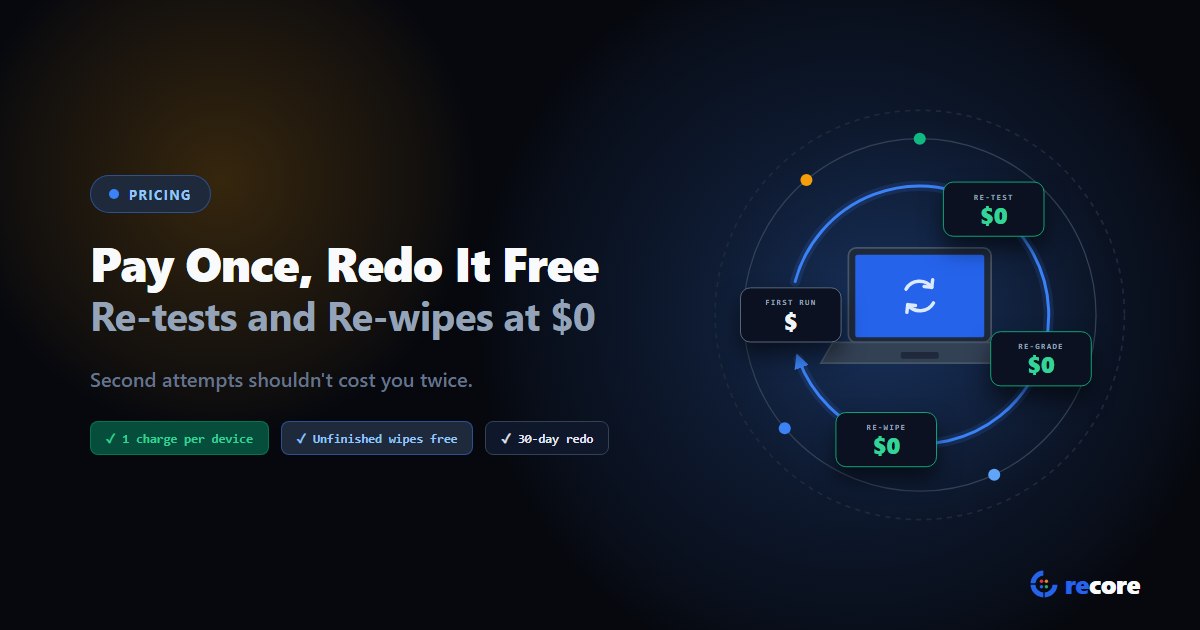
Pay Once, Redo It Free: What a Re-test or Re-wipe Costs in reCore
Re-tests, re-grades and re-wipes are half the work on a refurbishing floor. In reCore you pay once per device and once per drive, and redo it free for 30 days.
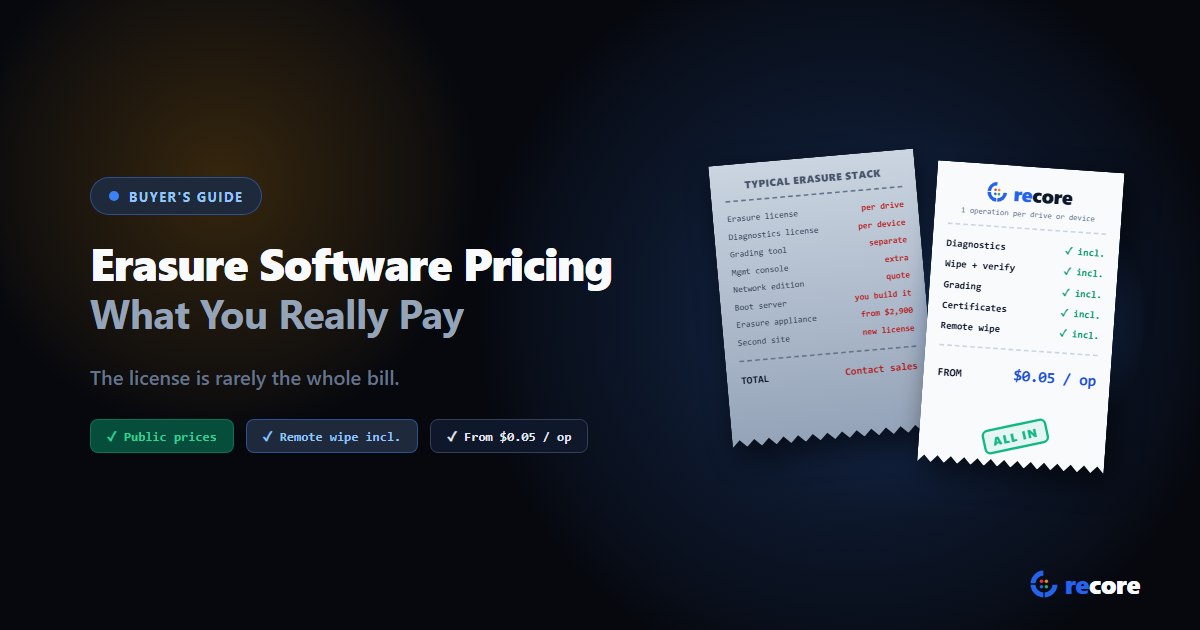
Data Erasure Software Pricing: What You Really Pay per Drive
Data erasure software is sold per drive, per slot, per site, by subscription or as hardware. What each model really costs, the hidden extras, and reCore's prices.
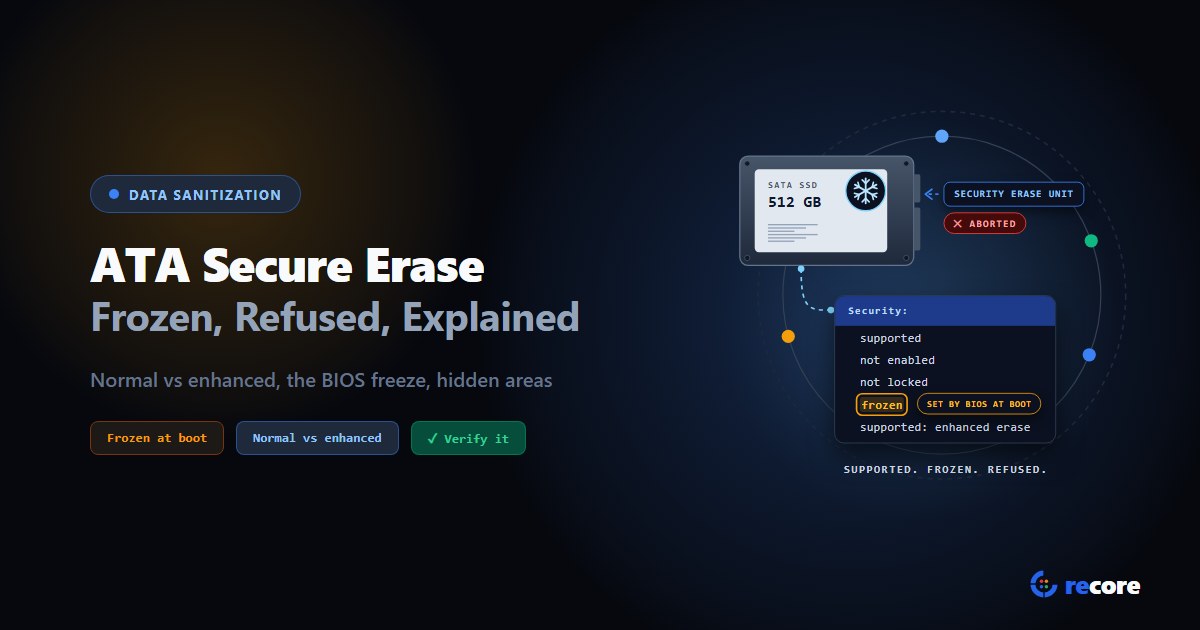
ATA Secure Erase Explained: Normal, Enhanced and Frozen Drives
What ATA Secure Erase does in normal and enhanced mode, why drives show frozen or not supported, what it misses (HPA, DCO), and how to verify it.
Stay Ahead in Data Sanitization & ITAD Compliance
Join enterprise IT managers and electronics refurbishers receiving our monthly technical standards breakdowns, NIST/R2v3 audit tips, and benchmark releases.