A Working Part Is Not Always a Transferable Part: Apple Parts Activation Lock and What ITAD Should Record
Apple's part-level Activation Lock and Repair Assistant change how refurbishers should test, grade and document used iPhone and iPad components.
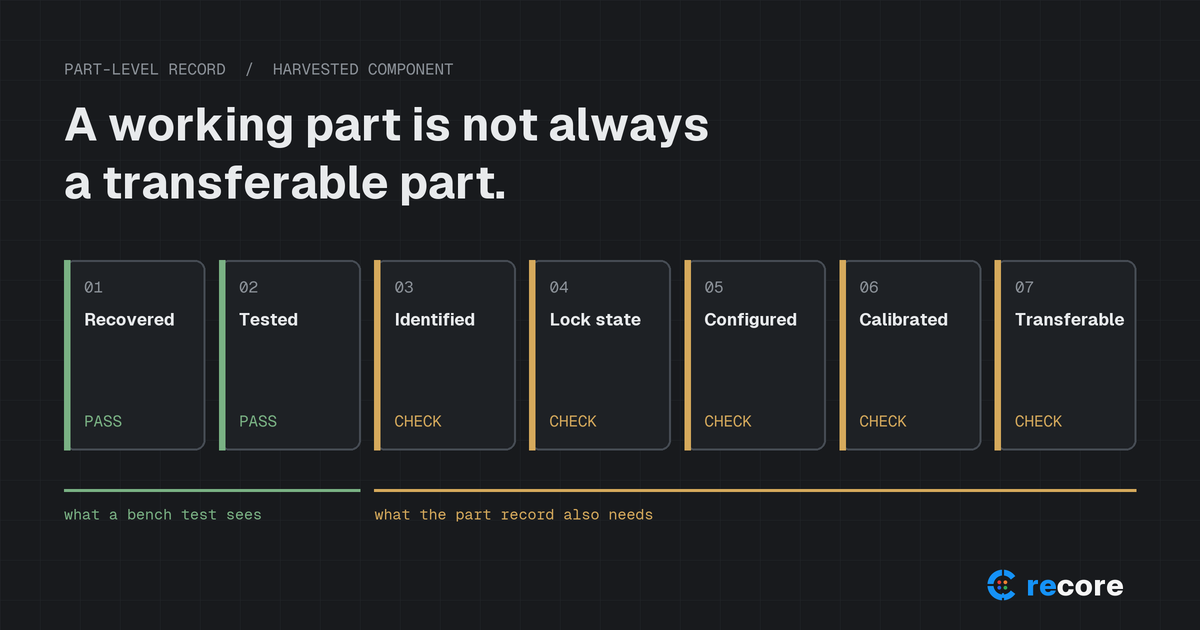
A part can be physically perfect and still be hard to sell.
A display pulled from an iPhone with no cracks, no dead pixels and a clean touch test looks like finished inventory. On supported Apple models, it is not finished until two more questions have answers: is the part still linked to the donor's Apple Account, and has the configuration and calibration process been completed in the device it goes into?
Apple's current support documentation makes both of those questions explicit. For ITAD and refurbishment facilities that harvest parts, the lesson is simple to state and harder to operate: physical recovery is not the same as transferable inventory. This article covers what Apple actually says, what that means for a parts-harvesting line, and what a part-level record should hold.
Everything below about Apple behavior is attributed to Apple's own documentation as published on the dates listed in the Sources section. Apple's behavior differs by model and changes with software releases. Recommendations about what to record are our analysis, not Apple requirements.
1. Device Activation Lock vs part Activation Lock
Most ITAD teams already handle device Activation Lock. A phone that arrives with Find My enabled and the owner's account still attached can't be activated by a new owner. The usual control is to ask the customer to remove it before shipment and to hold devices that arrive locked.
Part Activation Lock is a different control. Apple's support page on locked parts states:
"When a previously used part is linked to someone else's Apple account, the part is protected by Activation Lock."
Apple gives a battery, built-in display, front camera, or Touch ID sensor as examples of such parts. The important consequence for harvesting is that the lock travels with the part. Clearing the donor device is not a formality you can skip because you only want its screen.
2. What Apple actually changed
April 11, 2024. Apple announced that customers and independent repair providers would be able to use used genuine Apple parts in repairs, beginning with select iPhone models that fall. The announcement said:
- calibration for genuine Apple parts, new or used, would happen on device after the part is installed;
- Apple would extend Activation Lock to iPhone parts. Apple's stated purpose was "to deter stolen iPhones from being disassembled for parts";
- if a device under repair detects that a supported part came from another device with Activation Lock or Lost Mode enabled, calibration capabilities for that part will be restricted;
- Parts and Service History would additionally show whether a part is new or used.
The theft-deterrence rationale is Apple's claim. We did not find independent public data measuring its effect on theft, and this article makes no claim either way.
2026. Apple's current support pages describe how this works today. Two pages matter most for a harvesting line:
- If a part is locked to someone else's Apple Account (published April 29, 2026 on Apple's US site)
- Use Repair Assistant to finish an iPhone or iPad repair (published September 22, 2026)
3. Why "tested" is no longer enough
Apple's locked-parts page lists what follows when a previously used part stays locked:
| What Apple says about a locked part | Why it matters to a refurbisher |
|---|---|
| It must be unlocked with Repair Assistant or by removing Activation Lock before it can be configured for use in another compatible product | A bench pass does not make the part ready for its next device |
| Unlocking requires signing in with the Apple Account linked to the part | The facility cannot complete this step alone after the donor has left its hands |
| "Apple can't help remove Activation Lock for previously used parts" | There is no OEM escalation path for a locked harvested part |
| A locked part might not perform as expected or have features critical to privacy, security, or safety, and keeps a Finish Repair label | The downstream device carries a visible, unresolved state |
| A locked part is ineligible for Apple Limited Warranty or AppleCare service, and you can't trade in the device while the part is locked | The finished device loses resale routes, not just a feature |
A functional test answers "does it work?" None of the rows above are answered by a functional test.
4. Repair Assistant: installed is not finished
Apple's Repair Assistant page says that after a part has been replaced, "Repair Assistant will install calibration data to finish the repair." Apple lists supported parts by model. As published on September 22, 2026:
| iPhone model group | Parts Apple lists for Repair Assistant |
|---|---|
| iPhone 16 and later | Back glass, battery, display, front camera, rear camera, enclosure |
| iPhone 14 and iPhone 15 | Back glass, battery, display, front camera, rear camera |
| iPhone 12 and iPhone 13 | Battery, display, front camera, rear camera |
| iPhone SE (3rd generation) | Battery, Touch ID |
For iPad, Apple lists display, TrueDepth camera, front camera and rear camera for iPad Pro (M4 and M5), and display and front camera for iPad Air (M2, M3 and M4), iPad mini (A17 Pro) and iPad (A16). Apple adds footnotes: on iPhone 17 Pro and iPhone 18 Pro models the Ceramic Shield back counts as "back glass", and Repair Assistant isn't needed for that part on those Pro models.
Three details from the same page have direct operational weight:
- Same-model reuse. Apple states that with iPhone 15 and later and the iPad models listed above, experienced repairers "can reuse parts from a device of the same model." Compatibility is a per-model question, not a per-family one.
- What an unfinished repair costs. Apple says that on iPhone 18 Pro models, if you don't finish the repair or restore the iPhone, you won't be able to use the camera. On other iPhone models the device keeps working, but the part might not perform as well as a calibrated part, and Face ID or Touch ID can't be used to unlock the device, make payments or sign in to apps until those parts are calibrated.
- Network requirements. Apple says the device must be on Wi-Fi, above 20 percent battery and on the latest iOS or iPadOS, and that captive networks and networks requiring 802.1X authentication aren't supported. Many facilities run exactly those networks on the production floor. A repair bay that needs to finish Apple repairs may need a separate, plain Wi-Fi segment.
5. Parts and Service History is a signal, not a provenance record
Apple's Parts and Service History page (published July 7, 2026) describes the labels that can appear next to a part:
- Genuine: the repair used genuine Apple parts and processes.
- Used: the part was already used or installed in another iPhone.
- Unknown: can appear if the part isn't genuine, isn't functioning as expected, hasn't been verified and linked to the iPhone after the repair, or has been modified or can't be verified. Apple says an Unknown part "might affect the trade-in value of your device."
- Unverified: the logic board was previously used in another iPhone. Apple says this might affect features such as Apple Pay.
- Finish Repair: shown until the repair is completed with Repair Assistant.
This is useful evidence for grading a finished device. It has limits that matter for record-keeping. Apple says that if a part has been serviced more than once, only the most recent service appears. Which parts are reported also depends on the model: Apple lists battery, display, logic board, front camera and rear cameras for iPhone 12 models and later, and fewer for older models. Nothing in Apple's description presents it as proof of where a part came from or who owned it. Chain of custody is still the facility's job.
6. What a part-level ITAD record should contain
Most intake systems grade the device. Once a device is harvested, the donor grade stops describing anything that will be sold. Our recommendation is to treat each harvested part as its own record, linked to the donor. The fields below are analysis, not an Apple or standards requirement.
| Field | What it answers | Example values |
|---|---|---|
| Donor asset ID and serial | Where did this part come from? | Internal asset tag, donor serial |
| Donor model | Which compatibility rules apply? | iPhone 15 Pro |
| Donor lock state at intake | Was device Activation Lock removed by the owner before harvest? | Removed by owner, arrived locked, quarantined |
| Component type | What is it? | Display, battery, front camera |
| Component identifier | Which physical unit is it? | Label or internal part serial where readable |
| Harvest technician and date | Who removed it, and when? | Technician ID, timestamp |
| Physical condition | Is it intact? | Grade and defect list |
| Functional test | Does it work in a test device? | Pass, fail, not tested |
| Lock or account state | Is it linked to another account? | Clear, locked, unknown |
| Configuration and calibration state | Has Repair Assistant finished in the target device? | Finished, Finish Repair shown, not applicable |
| Post-install Parts and Service History label | What does the device report? | Used, Genuine, Unknown |
| Compatibility | Which models can take it? | Same model only |
| Final route | Where does it go? | Resale as part, installed in unit X, recycle |
Two design rules make this record useful:
- Keep "unknown" as a real value. A blank lock-state field reads as "fine" in most reports. "Not checked" should look different from "clear."
- Separate part states instead of collapsing them. Physical condition, function, lock state, calibration state and transferability are different questions. A single Good/Bad field hides exactly the failures this article describes.
7. Why device grade and part grade should be separate
A device grade describes a sellable unit: cosmetic condition, function, and blockers that affect the whole device. A part grade describes a component moving to a different unit. They answer different buyers' questions and fail in different ways.
A "for parts" device can yield a grade A display. A grade A device can contain one Unknown part that lowers its trade-in value. If the part inherits the donor's grade, or the rebuilt device inherits the part's test result, both records are wrong.
8. A practical parts-harvesting workflow
- Intake. Record the donor serial and model. Confirm device Activation Lock status and Find My removal before any disassembly. Devices that arrive locked go to a hold queue for the customer, not to the harvesting bench.
- Decide harvest vs. repair. Check the model against Apple's current Repair Assistant table. If the parts you would recover need Repair Assistant on the target model, factor that step into the cost.
- Harvest. Create one record per part, linked to the donor. Label the part physically.
- Test. Record the functional result separately from physical condition.
- Install and finish. Run Repair Assistant in the target device on a supported network. Record whether it finished and what Parts and Service History shows afterwards.
- Route. Only parts whose lock and calibration states are known and acceptable go to resale. Everything else gets an explicit route with a reason.
9. What ITAD operators should not do
- Don't collect or store customer Apple Account credentials to unlock parts later. Ask the owner to remove Activation Lock from their device instead, which is the route Apple documents.
- Don't treat a locked part as resale-ready because it passed a bench test.
- Don't assume one model behaves like another. Apple's own table differs between iPhone 12, 14, 16 and SE models, and it changes between releases.
- Don't claim to bypass OEM controls, and don't buy parts or tools marketed that way.
- Don't treat "tested" as "transferable" in reports to buyers.
10. Where reCore fits
reCore is an evidence and processing platform for IT asset disposition. Today it records device diagnostics, seven-component grading with defect lists, which technician did what, and an audit trail for every action. Its resale readiness scanning looks for blockers on computers, such as BIOS locks, MDM enrollment and tracking agents, before a device is wiped and graded.
reCore does not unlock Apple parts, run Repair Assistant, or calibrate components, and it does not currently keep separate harvest records for individual phone parts. The principle it is built on is the same one this article argues for: find the blocker before you spend processing time, and record each state separately so a report says what was actually checked.
If your facility still records only the donor device's condition, consider adding a separate part-level record for component identity, source device, lock state, repair status, post-installation validation and final route.
Conclusion
Hardware value used to follow physical condition. On supported Apple devices, it now also depends on account association, configuration and calibration, and those states are enforced by the device itself. The same trend runs through digital product passports and supply-chain traceability: value increasingly follows what can be proven about a component, not only what it looks like on the bench. Facilities that record those states separately will know what they can sell. Facilities that don't will find out from their buyers.
Sources
- Apple Newsroom, Apple to expand repair options with support for used genuine parts, April 11, 2024.
- Apple Support, If a part is locked to someone else's Apple Account, published April 29, 2026 (US site).
- Apple Support, Use Repair Assistant to finish an iPhone or iPad repair, published September 22, 2026.
- Apple Support, iPhone Parts and Service History, published July 7, 2026.
reCore Diagnostics Group
OfficialHardware Triage & Quality Assurance
Hardware engineers analyzing Apple Silicon, PC OEM firmware telemetry, battery degradation chemistry, and cosmetic defect standards.
Automate Testing & Evidence for R2v3 Operations
Deploy reCore across hundreds of devices simultaneously with zero-touch PXE or USB boot. Generate SHA-256 verified PDF erasure certificates with separation of duties enforcement.
Related Guides & Research
Continue exploring compliance standards, firmware sanitization, and hardware diagnostics.
The Windows 10 ESU Escalation: A 4-Channel ITAD Triage Framework for Non-Windows 11 Hardware
Microsoft Windows 10 ESU costs double in Year 2. Discover how ITAD facilities use automated hardware diagnostics to triage off-lease fleets across 4 commercial channels.
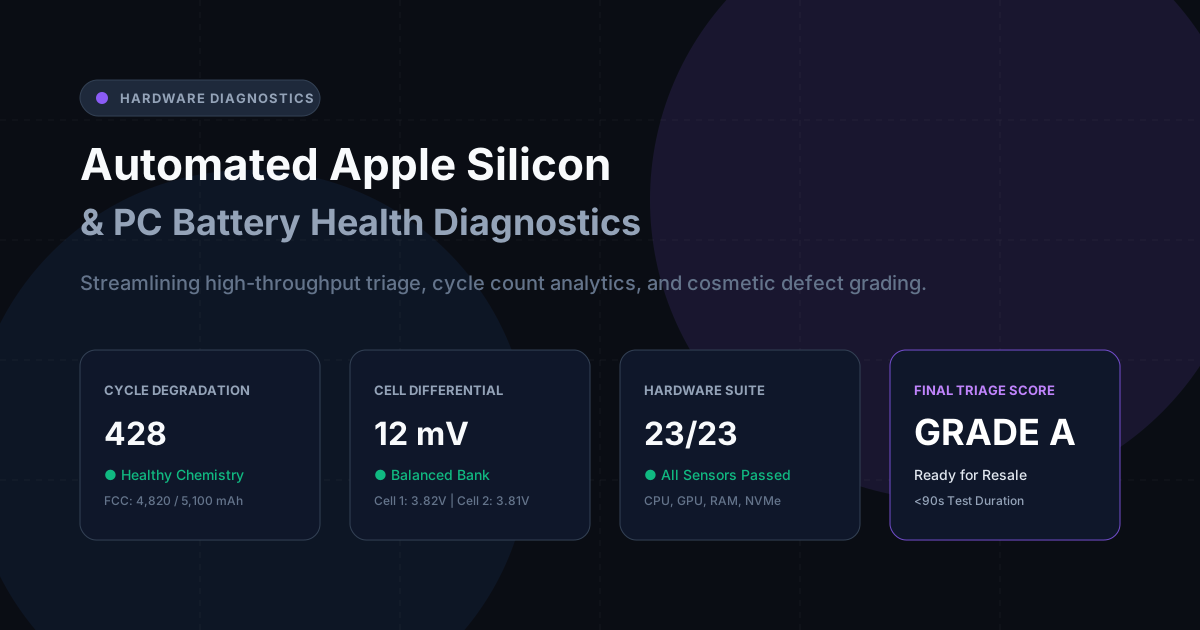
Automated Apple Silicon & PC Battery Health Diagnostics in Refurbishing Batches
How automated hardware diagnostics, cycle count tracking, and battery health degradation algorithms streamline triage for high-volume ITAD processors.

The 18-Month AI Server Lifecycle: Why GPU Cluster Decommissioning Demands a New ITAD Playbook
With accelerated compute lifecycles compressed to 18-36 months, GPU nodes lose 40% of value in 60 days. Learn modern NVMe 2.0 sanitization and thermal triage.
Stay Ahead in Data Sanitization & ITAD Compliance
Join enterprise IT managers and electronics refurbishers receiving our monthly technical standards breakdowns, NIST/R2v3 audit tips, and benchmark releases.